 Skip to content
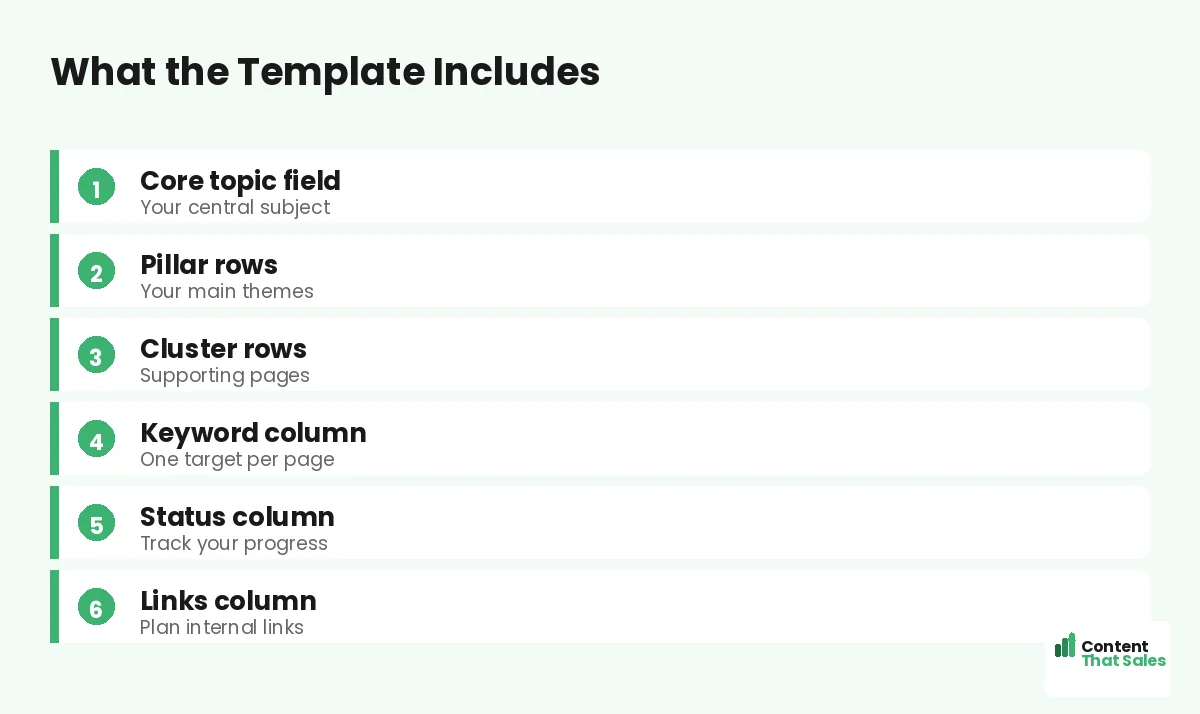
A free topical map template for any niche gives you a ready-made structure to fill in, so you can plan complete, authoritative content coverage without starting from a blank page. Whatever your industry, the same template works: a core topic, pillars, clusters, keywords, and status, all laid out and ready for your subjects. This guide explains what the template includes, how to use it, and how to adapt it to any niche.
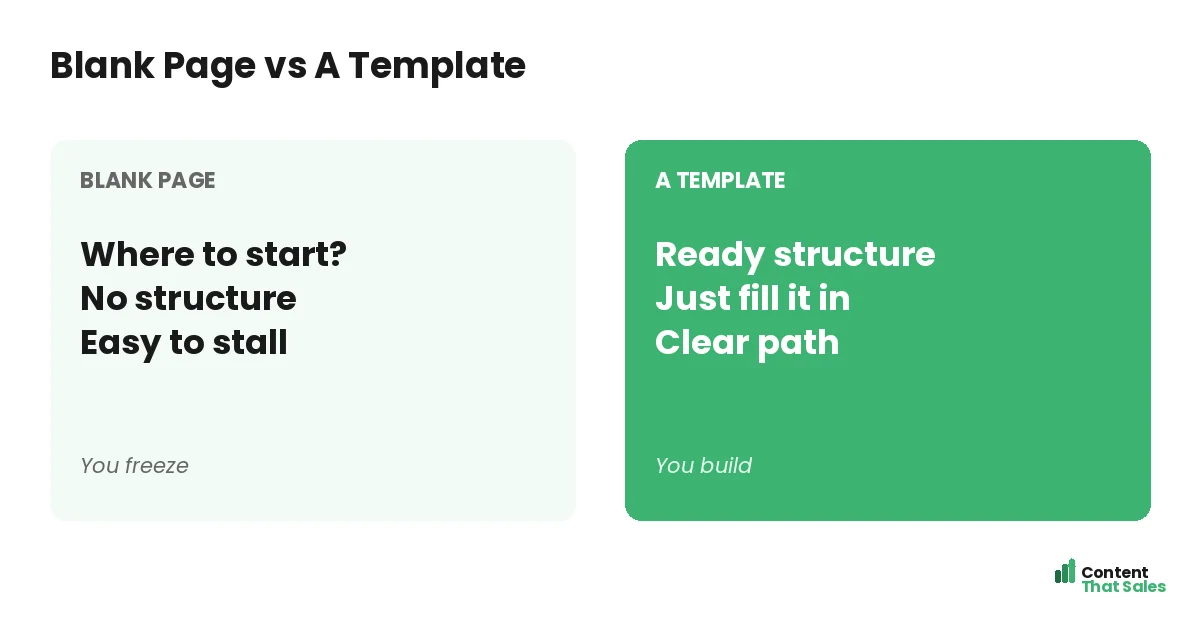
The hardest part of a topical map is often just starting. A template removes that friction by giving you the fields to fill, the structure already there. You bring the topics; the template provides the framework.
Below, we walk through what the template includes, how to fill it for your niche, and how to turn it into a working content plan.

Why Use a Template
A template turns topical mapping from a daunting blank page into a simple fill-in-the-blanks task. It gives you the proven structure, core, pillars, clusters, so you focus on your topics rather than figuring out the format. That saves time and prevents missed steps.
The structure follows the topical map fundamentals. A template bakes them in, so even a beginner builds a properly structured map. You get the benefit of the method without having to design it yourself.
The Core Topic Field
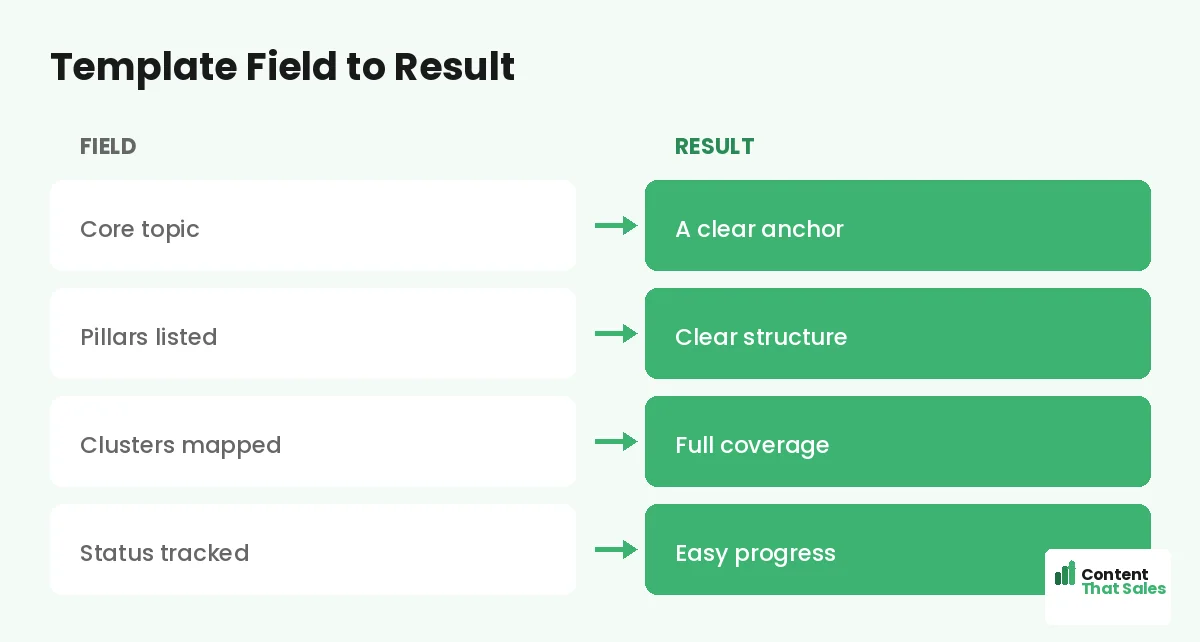
At the top, the template has a field for your core topic, the central subject your whole map covers. Everything else branches from it. Filling this first anchors the entire template to your niche.
Your core should be focused and tied to your business, as covered in choosing a core topic. The template gives you one clear place to define it, setting the foundation for everything below.
The Pillar Rows
Next, the template has rows for your pillars, the major themes within your core topic. Each pillar anchors a cluster. You list your main themes here, the broad areas a complete site on your subject would cover.
Identifying these is like choosing your pillar topics: major, in-demand areas broad enough to support many pages. The template gives you rows to capture each one, structuring your map’s main branches.
The Cluster Rows
Under each pillar, the template has rows for cluster pages, the specific subtopics that support the pillar. You fill these with the real questions and angles your audience searches, one per row.
These come from research, the way you find cluster topics. The template gives you organized rows to list them under the right pillar, building out the depth of your map cluster by cluster.
The Keyword Column
The template includes a keyword column, one target keyword per row. This ensures each page has a clear focus and no two pages compete for the same term. Filling it keeps your map focused and prevents cannibalization.
Assign a distinct primary keyword to each pillar and cluster page. The template’s column makes this easy to track at a glance, so every page in your map has its own clear target.
The Status Column
A status column lets you track each page as planned, writing, or live. This turns the template into a progress tracker, so you always know what is done and what is next. Color-coding makes progress visible at a glance.
Since readers scan more than they read, a clear status column lets you scan your whole map and instantly see your coverage and momentum as you fill it in.
Did you know?
The same topical map template works for any niche, because the structure, core, pillars, clusters, is universal; only the topics you fill in change.
The Internal Links Column
The template also has a column to plan internal links, noting which pillar each page links to and which related pages connect. Planning links here makes connecting your pages deliberate rather than an afterthought.
This ensures you build the connections that make a map work, the way you connect pillar and cluster pages. The column keeps your linking plan in the same place as your content plan.
How to Fill the Template
Start at the top: define your core topic, then list your pillars, then fill clusters under each. Assign a keyword to every row, note the links, and set the status. Work top to bottom, and the template fills into a complete map.
Use research to fill the rows with real, in-demand topics, not guesses. The template gives the structure; your research gives the substance. Together they produce a map ready to guide your content.
Adapt It to Any Niche
The template works for any niche because the structure is universal. A plumber, a SaaS brand, and a coach all use the same core-pillars-clusters format, just with different topics. Swap in your subject, and the template fits.
Whatever your industry, fill the same fields with your specifics. Simple, clear content keeps winning, since easy reading lifts engagement. The template adapts to your niche while keeping the proven structure intact.
Build It in a Spreadsheet
The easiest home for the template is a spreadsheet, free, flexible, and easy to track. Set up the columns, add a row per page, and group by cluster. A spreadsheet keeps your whole map in one organized, updatable place.
For the full setup, see our guide on building a topical map in Google Sheets. The template maps directly onto spreadsheet columns, making it simple to fill, sort, and maintain as your map grows.
Keep the Template Living
Your filled template is not static. As you publish, update the status, add new clusters, and fill gaps you find. A living template keeps your map current and your plan in one reliable place as your subject evolves.
Revisit it regularly to keep coverage complete. The template is the home of your strategy; keeping it updated keeps your content effort organized and your map growing toward full authority over time.
Put It All Together
A free topical map template gives you a ready structure, core topic, pillars, clusters, keywords, status, and links, to fill with your niche’s topics. It turns a blank page into a simple fill-in task and ensures a properly structured map.
Fill it top to bottom with researched, real topics, build it in a spreadsheet, and keep it living. The same template works for any niche. Use it, and you skip the blank-page problem and build a complete, authoritative map fast.
How Content That Sales Helps
We fill the template and build the content. That’s where we come in. At Content That Sales, we take the template structure, research your niche, and produce the complete, connected map and pages that build authority.
You share your niche and goals. We define your core, pillars, and clusters, fill the template with researched topics, and write the content. The result is a finished map and the pages that fill it, not just a blank template.
Ready to Use the Template?
Now you know what a free topical map template includes and how to fill it for any niche: core, pillars, clusters, keywords, status, and links. The structure is universal. So why start from a blank page?
Let’s fill your template and build your map. Book your free consultation now. Call us at 8801631988589 or email service@contentthatsales.com. Let’s turn a template into your authority.
Frequently Asked Questions About the Topical Map Template
What does the template include?
Fields for your core topic, pillar rows, cluster rows, a keyword column, a status column, and an internal links column, the full structure of a topical map.
Does it work for any niche?
Yes. The structure, core, pillars, clusters, is universal. Only the topics you fill in change, so the same template fits any industry.
How do I fill it?
Work top to bottom: define your core, list pillars, fill clusters under each, assign keywords, note links, and set status. Use research for real topics.
Why one keyword per row?
To give each page a clear focus and prevent cannibalization, where two pages compete for the same term. The keyword column keeps every page distinct.
Where should I build the template?
A spreadsheet is the easiest home, free, flexible, and easy to track. The template maps directly onto spreadsheet columns for simple filling and updating.
Should I plan links in the template?
Yes. The links column lets you note which pillar each page links to and which siblings connect, making your linking deliberate from the start.
Should I keep the template updated?
Yes. Update status as you publish, add new clusters, and fill gaps. A living template keeps your map current and your plan organized.
Can Content That Sales help?
Yes. We fill the template with researched topics for your niche and write the connected pages that build authority. Reach out for a quick quote.