 Skip to content
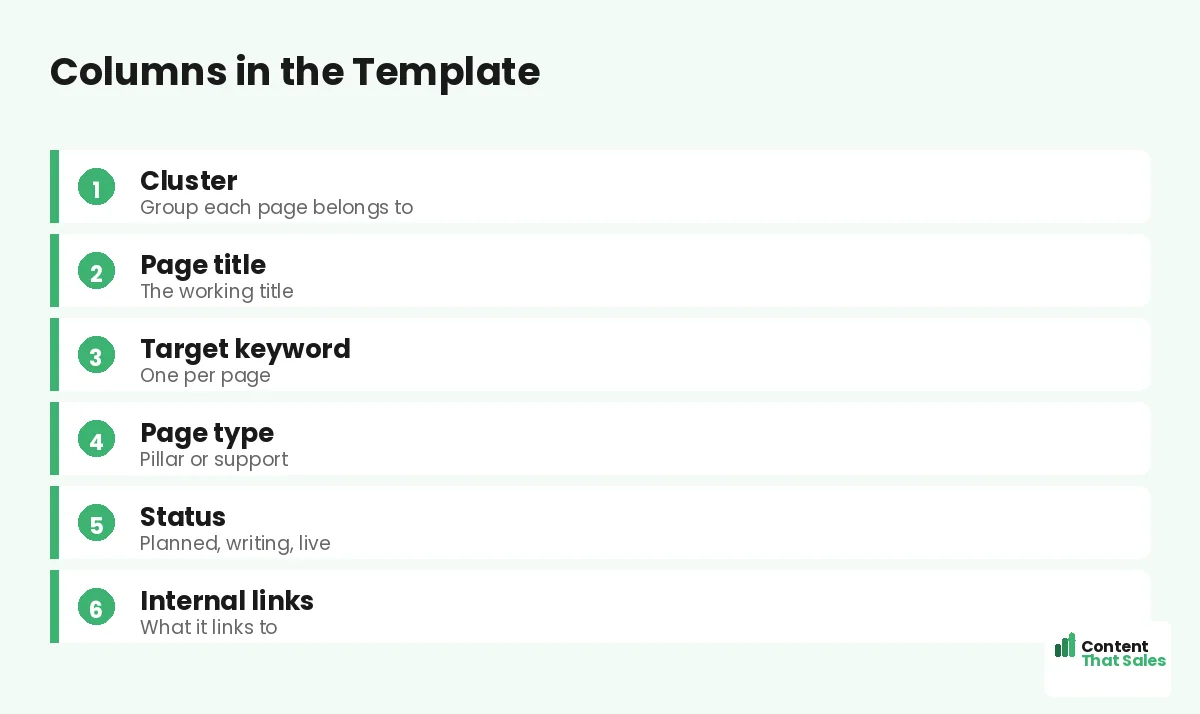
A topical map spreadsheet template with clusters gives you the exact columns and structure to plan, organize, and track your whole content strategy in one place. Grouped by cluster, it shows your pillars, supporting pages, keywords, and status at a glance. This guide walks through the template’s columns, how the cluster grouping works, and how to use it to build and track your map.
A spreadsheet is the practical home of any topical map, and the right column structure makes it powerful. With clusters built in, you can see each topic group, track its coverage, and manage the whole map without losing track of a single page.
Below, we walk through the template’s columns, the cluster grouping, and how to use it to plan and track your content.

Why a Spreadsheet With Clusters
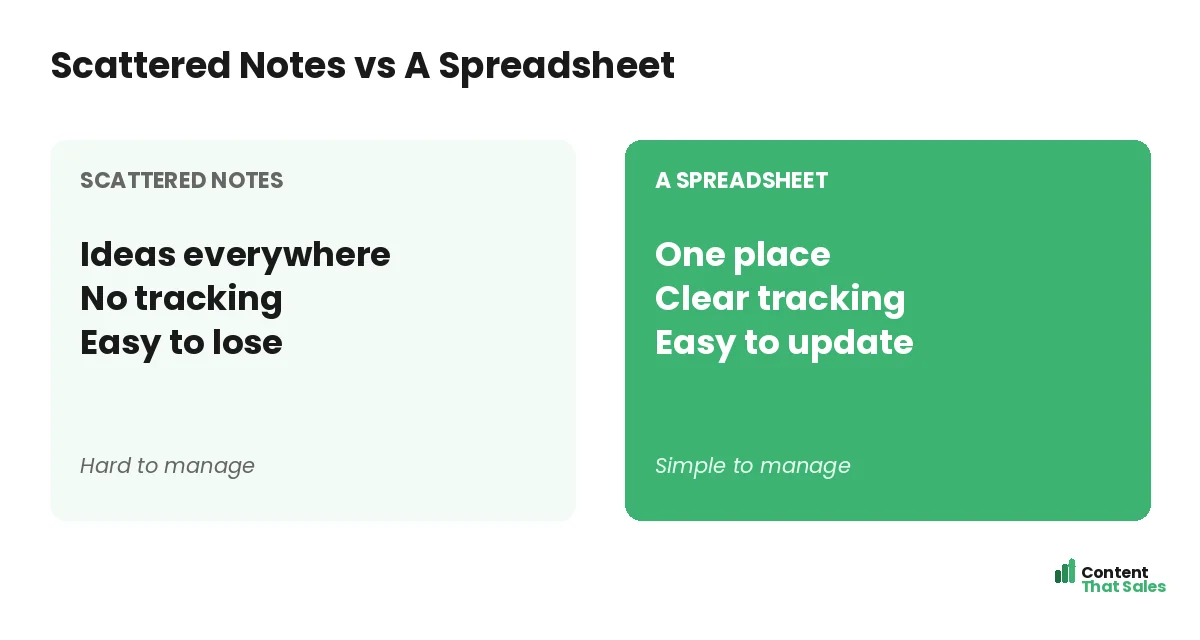
A spreadsheet is free, flexible, and perfect for tracking a topical map. Building cluster grouping into it lets you organize your pages by topic group, so you can see and manage each cluster as a unit, not just a flat list of pages.
This is the practical side of the topical map method. The spreadsheet holds the structure; the cluster column gives it shape. Together they turn your strategy into something you can actually manage day to day.
The Cluster Column
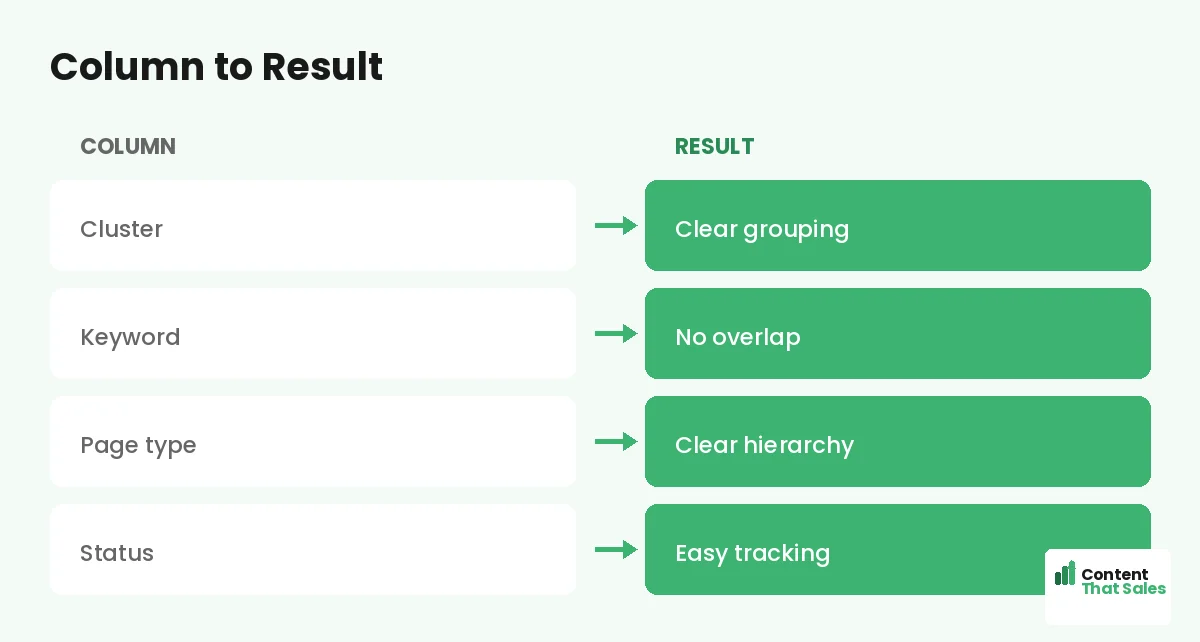
The most important column is cluster, the topic group each page belongs to. Grouping or sorting by this column lets you view one cluster at a time and check its coverage. Clusters organize your whole map into clear, manageable sections.
With a cluster column, you can filter to see every page in a group and tell at a glance whether it is complete. This grouping is what makes the template a cluster-based map rather than a flat content list.
The Page Title Column
The page title column holds the working title of each page. It is the human-readable name that tells you what the page is about. Listing every planned title here gives you the full scope of your map in one column.
As you brainstorm subtopics, each becomes a row with a title under its cluster. This column is essentially your content to-do list, organized by topic group, showing everything you plan to create.
The Target Keyword Column
Each row gets a target keyword, the primary term that page will rank for. One keyword per page prevents cannibalization, where two pages compete for the same term. This column keeps every page focused and distinct.
This ties your map to your keyword strategy, the way a topical map and keyword map work together. The column ensures each page has a clear, unique target you can see at a glance.
The Page Type Column
A page type column marks each page as a pillar or supporting page. This shows each page’s role in its cluster and guides your internal linking, since pillars and support pages link differently within the structure.
Knowing each page’s type at a glance helps you build the cluster correctly. You can filter to see all your pillars or all the support pages in a cluster, keeping the hierarchy of your map clear in the spreadsheet.
The Status Column
A status column tracks each page as planned, writing, or live. This turns the template into a progress tracker, so you always know what is done and what is next. Color-coding makes progress visible at a glance.
Since readers scan more than they read, a clear, color-coded status column lets you scan the whole map and instantly see your coverage and momentum across every cluster.
Did you know?
Grouping a spreadsheet by cluster lets you check each topic group’s coverage at a glance, so you can see exactly which clusters are complete and which need work.
The Internal Links Column
An internal links column lets you note which pillar each page links to and which related pages connect. Planning links in the spreadsheet makes connecting your pages deliberate, ensuring you build the structure that makes a map work.
This keeps your linking plan beside your content plan, the way you connect pillar and cluster pages. As you write each page, you know exactly what to link, so no page ships orphaned.
Group and Sort by Cluster
Set up the spreadsheet so rows group by cluster, with each cluster’s pillar and support pages together. Use filters to view one cluster, sort by status, or see all pillars. This makes even a large map easy to navigate and manage.
For very large maps, you can use separate tabs per major area. The cluster grouping is what keeps everything organized as your map grows to dozens or hundreds of rows, so it never becomes an unmanageable mess.
Use It to Track Progress
Once built, the spreadsheet becomes your command center. Update the status as you write and publish, check off completed clusters, and see at a glance what remains. This keeps your content effort organized and moving forward.
Reviewing the sheet regularly shows your coverage and momentum cluster by cluster. A well-maintained spreadsheet keeps a long-term topical map on track, the engine of a steady topical map strategy.
Keep It Living
Your spreadsheet should evolve with your map. Add new rows as you find subtopics, update statuses as pages go live, and refine clusters as your strategy sharpens. A living spreadsheet keeps your map current and your plan in one place.
Simple, clear content keeps winning, since easy reading lifts engagement. The spreadsheet plans the structure; quality writing delivers it. Keep both updated, and your map stays organized and effective.
Put It All Together
A topical map spreadsheet template with clusters gives you columns for cluster, page title, keyword, page type, status, and links, grouped by cluster for easy management. It turns your strategy into a trackable, organized plan in one place.
Set up the columns, group by cluster, fill the rows with researched topics, and track your progress. Keep it living as your map grows. With this structure, a spreadsheet becomes the reliable home and command center of your whole content strategy. You always know what is published, what is in progress, and what comes next, and you can hand the same sheet to a writer or teammate and have them understand the plan instantly, which is exactly what keeps a growing content operation organized.
How Content That Sales Helps
We set up and fill the spreadsheet for you. That’s where we come in. At Content That Sales, we build your cluster-based map spreadsheet, fill it with researched topics, and write the connected pages that build authority.
You share your subject and goals. We structure the sheet, organize the clusters, and produce the content. The result is a complete, well-managed topical map and the pages that fill it, all tracked in one place.
Ready to Build Your Map Spreadsheet?
Now you know what a topical map spreadsheet template with clusters includes: columns for cluster, title, keyword, type, status, and links, grouped for easy management. So why keep your map in scattered notes?
Let’s build your map spreadsheet and content. Book your free consultation now. Call us at 8801631988589 or email service@contentthatsales.com. Let’s turn a spreadsheet into a strategy that ranks.
Frequently Asked Questions About the Spreadsheet Template
What columns does the template have?
Cluster, page title, target keyword, page type, status, and internal links, the full structure of a topical map, grouped by cluster for easy management.
Why group by cluster?
Grouping by cluster lets you view each topic group at a glance and check its coverage, so you can see which clusters are complete and which need work.
Why one keyword per row?
To give each page a clear focus and prevent cannibalization, where two pages compete for the same term. The keyword column keeps every page distinct.
What does the status column do?
It tracks each page as planned, writing, or live, turning the template into a progress tracker. Color-coding makes your coverage and momentum visible at a glance.
Can it handle a large map?
Yes. Group rows by cluster, use filters, and split very large maps across tabs. The cluster grouping keeps everything organized as the map grows.
Should I plan links in the spreadsheet?
Yes. The links column lets you note which pillar each page links to and which siblings connect, making your linking deliberate from the start.
Should I keep it updated?
Yes. Update status as you publish, add new clusters, and refine. A living spreadsheet keeps your map current and your plan organized.
Can Content That Sales help?
Yes. We set up your cluster-based spreadsheet, fill it with researched topics, and write the connected pages. Reach out for a quick quote.