 Skip to content
Building a topical map with ChatGPT is one of the fastest ways to plan your content. With the right prompts, ChatGPT can list your pillars, brainstorm cluster topics, suggest keywords, and lay out a full map structure in minutes. The key is knowing exactly what to ask. This guide gives you the prompts and the process to build a solid topical map with ChatGPT, then refine it into something that ranks.
A topical map is the plan for covering your subject completely so search engines see you as an authority. ChatGPT makes building that plan much faster, turning hours of brainstorming into a quick, guided conversation.
Below, we walk through the exact prompts to use at each step, and how to refine ChatGPT’s output into a real, usable map.

Why Use ChatGPT for a Topical Map
ChatGPT is fast at generating ideas, listing subtopics, and organizing them into structure. For map-building, that means you can go from a blank page to a full draft in one conversation. It removes the slow, tedious part of planning.
It works best as a drafting partner. ChatGPT speeds up building a topical map, but you guide it and refine its output. The combination of its speed and your judgment produces a strong map fast.
Start With a Clear Topic Prompt
Begin by telling ChatGPT your main topic and context in detail. The more specific your prompt, the better the output. Include your niche, your audience, and your goal so ChatGPT tailors its suggestions to your actual situation.
A vague prompt gets vague results. Instead of asking about a broad subject, give ChatGPT your exact focus and who you serve. This clear starting point shapes everything it generates next, keeping the whole map on-theme.
Prompt for Your Pillars
Ask ChatGPT to list the major subtopics, your pillars, under your main topic. A prompt like “list the main pillar topics for a site about X” gives you the big themes quickly. Review them and keep the ones that fit.
These pillars form the main branches of your pillar-and-cluster structure. ChatGPT may suggest themes you had not considered, which is part of its value. Treat its list as a menu and pick the strongest options.
Prompt for Cluster Topics
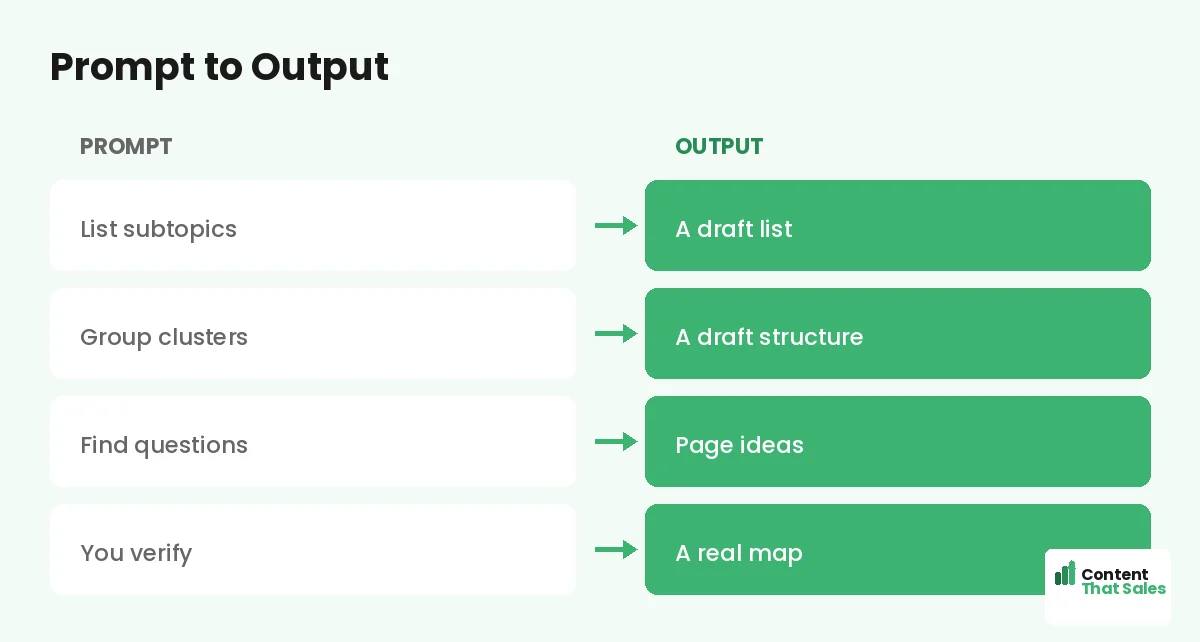
For each pillar, ask ChatGPT to brainstorm cluster topics. Try “list 15 specific article topics under the pillar Y that people search for.” This generates a deep list of focused page ideas in seconds, giving your map real depth.
This is where ChatGPT helps you find cluster topics at scale. Prompt it for the questions and subtopics readers search under each pillar. Then review, keeping relevant ideas and cutting duplicates or off-topic suggestions.
Prompt for Keywords and Intent
Ask ChatGPT to suggest a target keyword and the search intent for each page. This helps you assign one clear keyword per page and understand what each searcher wants, speeding up a step that usually takes real time.
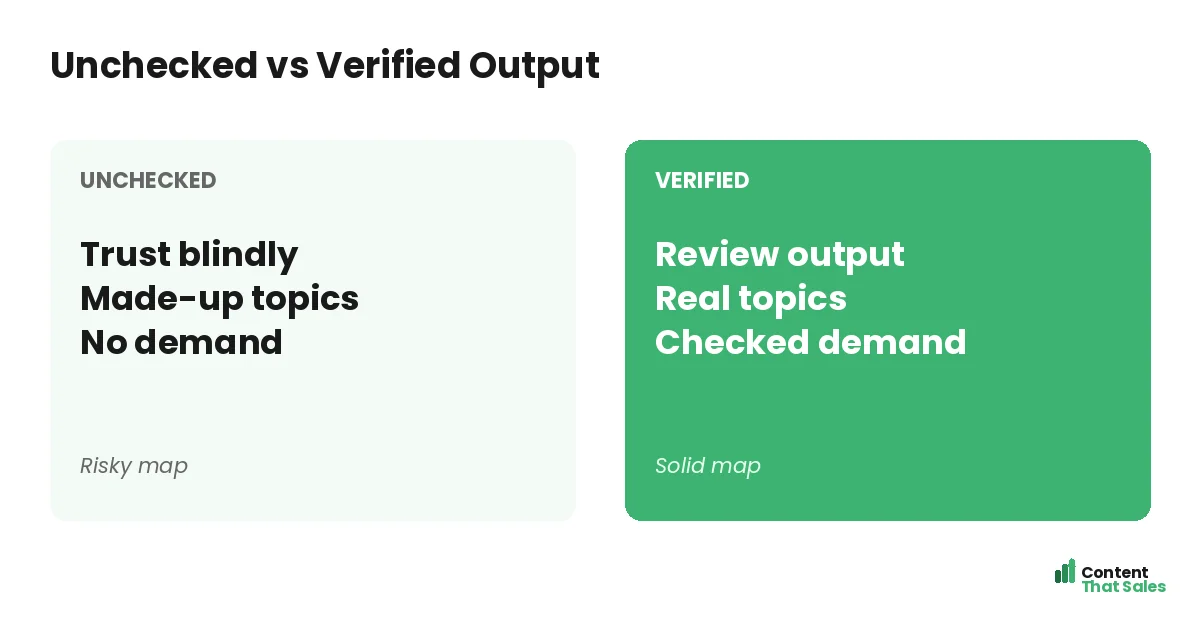
Verify these suggestions, since ChatGPT can invent terms or misjudge demand. Use them as direction, then confirm with real data. Since readers scan more than they read, pick keywords tied to clear reader needs.
Ask for the Full Map in a Table
Once you have pillars, clusters, and keywords, ask ChatGPT to organize everything into a table, pillars as sections with clusters and keywords beneath each. You can copy this table straight into a spreadsheet as your draft map.
This gives you a complete structure in seconds. A prompt like “put this into a table with columns for pillar, page title, keyword, and intent” produces a clean, ready-to-use draft you then refine into your final map.
Did you know?
The quality of your map depends almost entirely on the quality of your prompts. A detailed, specific prompt produces a map ten times more useful than a one-line question.
Refine ChatGPT’s Output
Never use ChatGPT’s draft as-is. Review it carefully, cut irrelevant topics, fix wrong groupings, fill gaps, and verify keywords against real data. The draft is a fast starting point; your review makes it accurate and useful.
ChatGPT will produce some odd or overlapping suggestions. Your judgment turns its rough draft into a real strategy. This refining step is what separates a map that ranks from a generic AI list that does not.
Iterate With Follow-Up Prompts
ChatGPT shines in conversation. Follow up to refine, ask it to expand a thin pillar, merge overlapping topics, or suggest more questions for a cluster. Each follow-up sharpens the map without starting over from scratch.
Use prompts like “the pillar Z looks thin, suggest five more cluster topics” to fill gaps fast. This back-and-forth is the real power of using ChatGPT, you shape the map together, step by step, until it is complete.
Turn the Draft Into a Working Map
Once refined, move ChatGPT’s output into a working document you can track and update. The conversation produced the plan; now it becomes your living map for producing content over time as you publish each page.
Organize it in a spreadsheet so you can mark progress and add links. Using a topical map template keeps it tidy. Simple, clear pages win, and since easy reading lifts engagement, plan for clarity.
Put It All Together
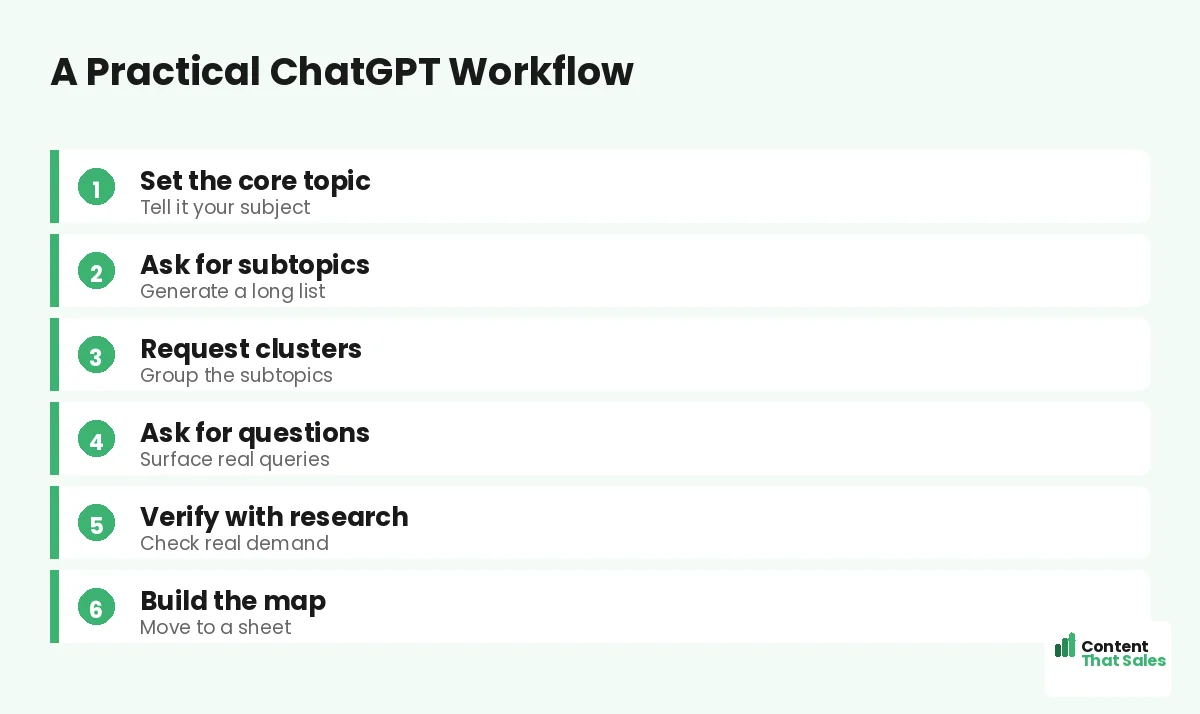
To build a topical map with ChatGPT: start with a clear topic prompt, then prompt for pillars, clusters, keywords, and a full table. Refine the output, iterate with follow-ups, and move it into a working map.
ChatGPT gives you speed; you provide quality and strategy. With good prompts and careful review, it turns hours of planning into a quick conversation. The result is a strong, complete map built faster than by hand.
Connect the Pages ChatGPT Suggests
ChatGPT can help with linking too. Once you have your draft map, ask it which pages should link to each other and which clusters connect to which pillars. It will suggest a linking structure that ties your content together into a real web, not a loose list of pages.
Review these suggestions and apply the ones that make sense. Strong internal linking is part of what builds authority, so use ChatGPT to plan the connections between pillar and cluster pages from the start. The goal is a map where every page supports the others and nothing sits orphaned and ignored.
How Content That Sales Helps
If you want a map without learning the prompts, that’s where we come in. At Content That Sales, we use tools like ChatGPT to build your map fast, refine it with expert judgment, and write the pages that fill it.
You skip the prompting and editing. We generate, verify, and produce, delivering a complete, connected map and the content to match. The result is expert quality at AI speed, without you touching a single prompt.
Ready to Build With ChatGPT?
Now you know how to build a topical map with ChatGPT: prompt for pillars, clusters, and keywords, then refine. Good prompts plus review equal a strong map fast. So why not open ChatGPT and start drafting yours today?
Or let us handle it. Book your free consultation now. Call us at 8801631988589 or email service@contentthatsales.com. Let’s turn AI speed into a content plan that actually ranks and sells.
Frequently Asked Questions About ChatGPT Maps
Can ChatGPT build a topical map?
Yes, with the right prompts it can list pillars, brainstorm clusters, suggest keywords, and lay out a full structure fast. You then refine the draft into a usable map.
What prompts should I use?
Start with a detailed topic prompt, then ask for pillars, then clusters under each, then keywords and intent, then a table. Build it step by step.
How important is the prompt?
Very. A detailed, specific prompt produces a far more useful map than a one-line question. The quality of output tracks the quality of your input.
Do I need to verify the output?
Yes. ChatGPT can invent keywords and suggest off-topic pages. Always review, cut irrelevant topics, fix groupings, and confirm keywords with real data.
Can I refine the map in conversation?
Absolutely. Use follow-up prompts to expand thin pillars, merge overlaps, or add cluster ideas. This back-and-forth is where ChatGPT is most useful.
How do I get the map into a spreadsheet?
Ask ChatGPT to output a table with columns for pillar, page title, keyword, and intent. Copy it into a spreadsheet as your working draft map.
Is a ChatGPT map good enough to rank?
After human review, yes. The draft alone is not, but refined and verified, a ChatGPT-built map can be as strong as a manual one, built much faster.
Can Content That Sales help?
Yes. We use AI to build maps fast, refine them, and write the pages. Reach out for a quick quote.