 Skip to content
How many landing page form fields should you use? The honest answer is as few as you can while still capturing what your business truly needs, because every extra field lowers your conversion rate. Fewer fields mean more leads but less detail, while more fields mean fewer but better-qualified leads. This guide explains that trade, which fields to keep, which to cut, and how to decide the right number for your goal.
There is no single magic number. The right field count depends on your offer, your audience, and what your sales process actually needs. The skill is balancing quantity against quality so you get enough leads without drowning your team in unqualified ones.
Below, we cover the conversion trade-off, which fields earn their place, which to drop, and a simple way to decide your ideal form length.

The Core Trade-Off
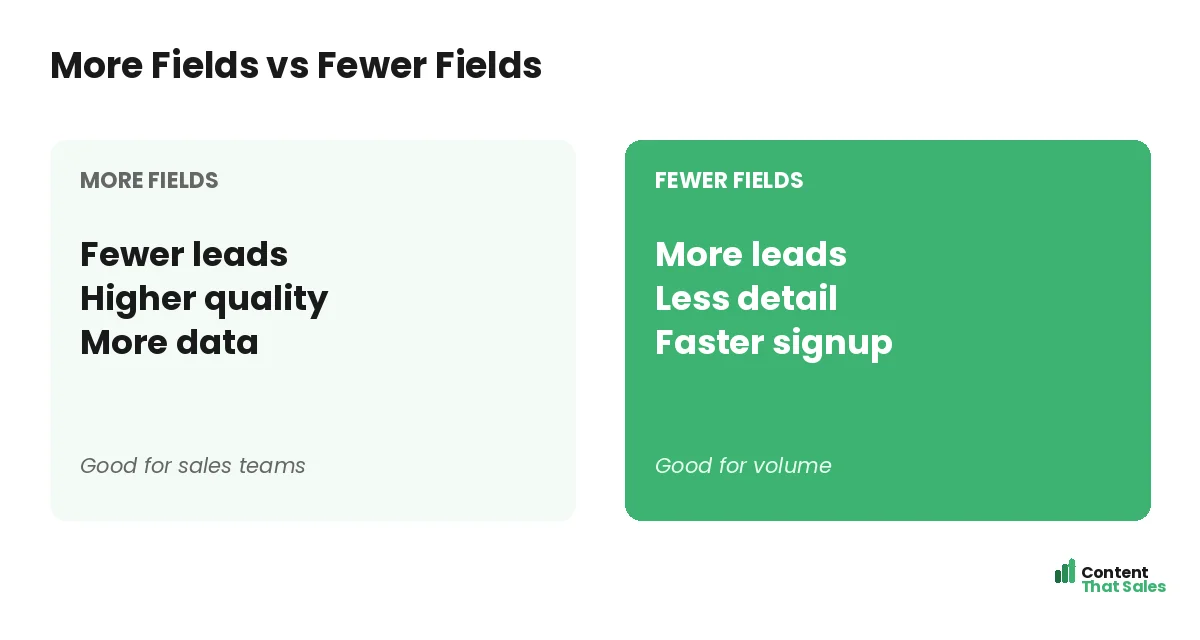
Every form field is a small tax on conversion. Fewer fields make the form faster and easier, so more people complete it. More fields ask more of the visitor, so fewer finish, but the ones who do tend to be more serious and better qualified.
So the choice is quantity versus quality. A one-field landing page form on a strong landing page structure maximizes raw leads. A longer form filters for intent. Neither is universally right; the best choice depends on what you do with the leads.
When to Use Fewer Fields
Use fewer fields when you want maximum volume and can qualify leads later. For a newsletter, a free guide, or a top-of-funnel offer, an email alone is often enough. The goal is to get as many people as possible into your pipeline, the heart of any lead generation landing page.
Fewer fields also suit cold traffic that does not know you yet. A short form lowers the barrier for a first, low-commitment step. You can always ask for more details once the relationship has begun and trust has grown.
When to Use More Fields
Use more fields when lead quality matters more than raw volume. For a high-value quote, a demo, or a sales call, a few extra fields filter out the casually curious and surface serious prospects, saving your sales team wasted time.
More fields can also pre-qualify leads by capturing budget, company size, or need. The drop in total signups is worth it when each lead costs real sales effort. Match the form length to how much each lead is worth to pursue.
Fields to Almost Always Keep
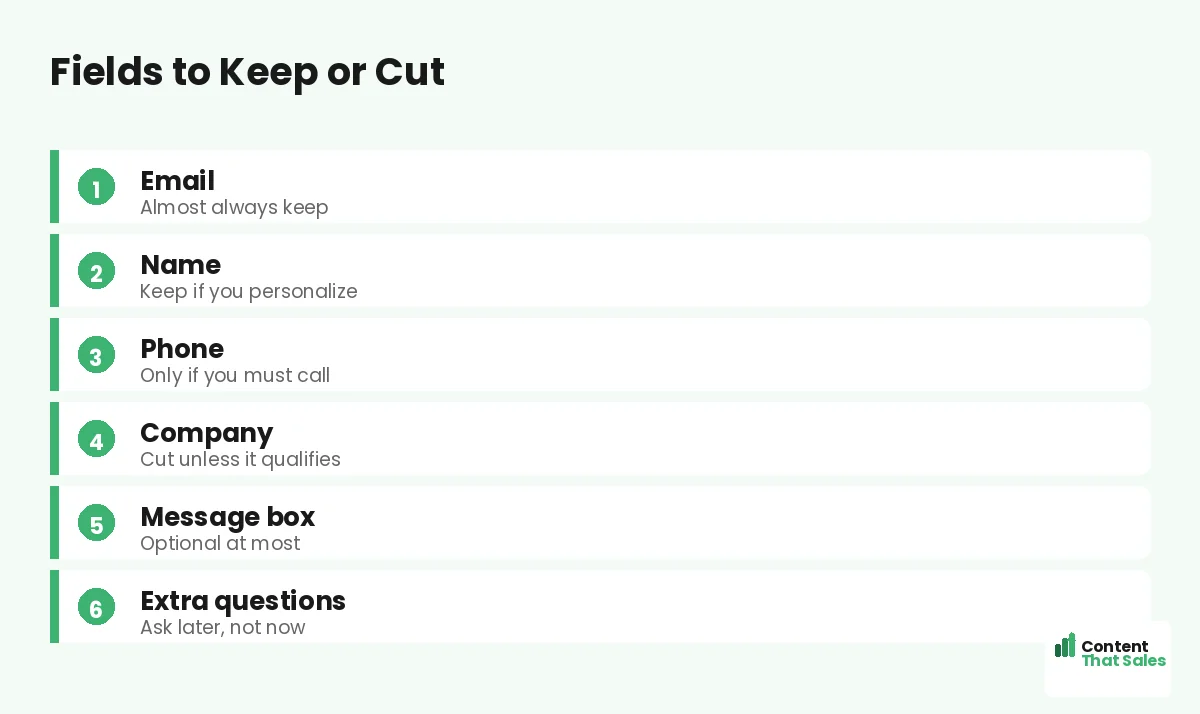
Email is the essential field; it is how you reach and nurture the lead. Keep it on nearly every form. A name is worth keeping if you personalize your follow-up, since it adds little friction and helps your emails feel human.
Beyond those two, every field needs to justify itself. Ask whether you will actually use the information and whether it is worth the conversions it costs. If the answer is no, the field does not belong on the form.
Fields to Cut or Reconsider
Phone number is a big one to reconsider. It adds friction and feels intrusive, so keep it only if you genuinely need to call. Company name, job title, and message boxes are often nice-to-haves that quietly cost you completions.
Be ruthless. Since readers scan more than they read, every extra box makes the form look like work. Cut anything you will not act on, and move non-essential questions to a later step in the relationship.
Ask for the Rest Later
You do not have to capture everything on the first form. Progressive profiling lets you gather more details over time, asking for one new piece of information on each later interaction. The first form stays short while your data grows.
This approach gives you the best of both: high initial conversions and rich lead data eventually. Start with the essentials, then learn more as the lead engages. Patience with data collection often beats demanding it all up front.
Did you know?
Each field you add tends to lower completions, so the decision is rarely about ideal data and almost always about the trade between lead volume and lead quality.
How to Decide the Right Number
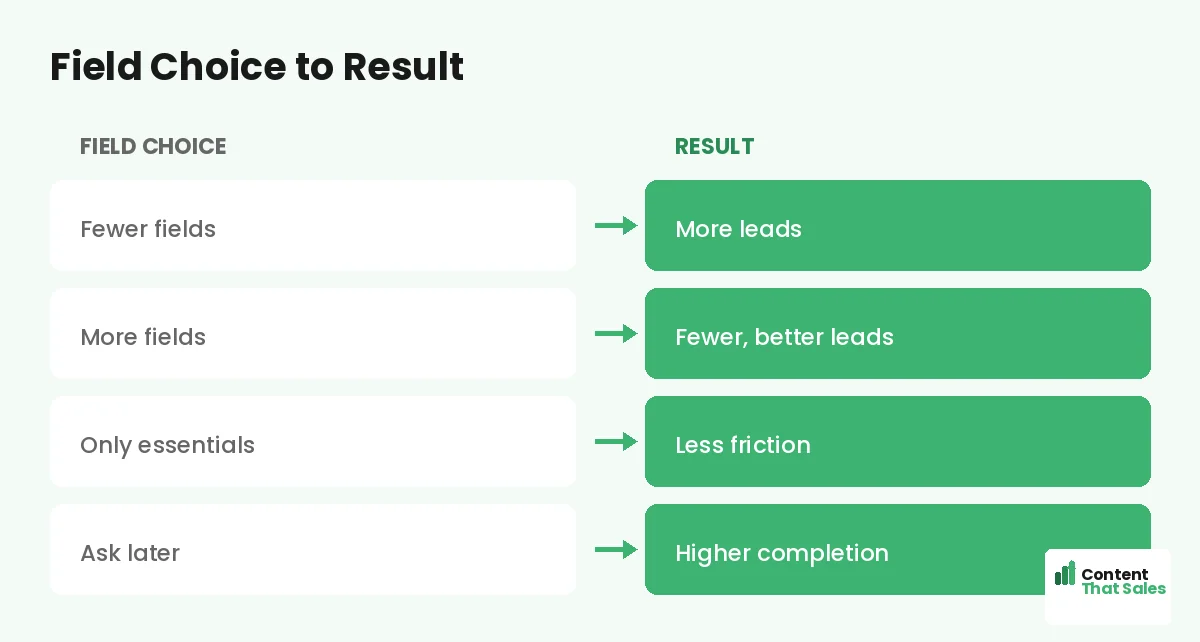
Start by asking what your sales process truly needs to act on a lead. Then ask for only that. If a short form floods you with unqualified leads, add a field to filter. If a long form starves your pipeline, cut fields to lift volume.
Let your goal lead the decision. Top-of-funnel offers favor short forms; high-value sales favor a few more fields. There is no universal number, only the number that best balances volume and quality for your specific situation.
Test to Find Your Sweet Spot
The surest way to find your ideal field count is to test. Try one version with fewer fields and one with more, and compare not just signups but the quality and conversion of those leads down the funnel. Real data beats guesswork.
Sometimes removing a single field lifts conversions meaningfully. Other times an extra qualifying field improves lead quality enough to be worth fewer signups. Test, measure the full funnel, and let the results set your form length.
Consider a Multi-Step Form
If you genuinely need several fields, a multi-step form can keep conversions high. Spreading the fields across small steps makes a longer form feel easy and builds momentum, so you can ask for more without scaring people off.
This is a great middle path when you need detail but do not want to crush conversions. A multi-step form lets you collect more fields while keeping each step light, often beating a single long form on completion.
Match Fields to the Offer Value
Visitors will share more when they get more. A small freebie justifies only an email; a valuable quote or consultation justifies a few more fields. People weigh the effort against the reward, so align your ask with what you are giving.
If you ask for a lot in exchange for a little, completions drop. If your offer is clearly worth it, a slightly longer form feels fair. Keep the trade balanced, and the field count will feel reasonable to the visitor.
Put It All Together
The right number of landing page form fields is the fewest that still serve your sales process. Keep email, keep a name if you personalize, and make every other field earn its place. Cut what you will not use and ask for the rest later.
Balance volume against quality based on your goal, then test to confirm. Simple, clear copy keeps winning, since easy reading lifts conversions, and a lean form is part of that ease. Choose your fields with intent, and your form converts at its best.
How Content That Sales Helps
We help you find the right form length. That’s where we come in. At Content That Sales, we build landing pages with forms tuned to your goal, balancing lead volume and quality so you capture the right leads.
You share your sales process and your offer. We design a form with the right fields, no more and no less, and copy that lifts completions. The result is a form that serves your team without leaking the leads you worked to earn.
Ready to Optimize Your Form?
Now you know how to decide how many landing page form fields to use: keep the essentials, balance volume against quality, ask for the rest later, and test. The right number serves your sales process. So why let too many fields cost you leads?
Let’s tune your form for more and better leads. Book your free consultation now. Call us at 8801631988589 or email service@contentthatsales.com. Let’s turn your next visitor into your next lead.
Frequently Asked Questions About Form Fields
How many form fields should I use?
As few as serve your sales process. Fewer fields lift volume; more fields improve quality. The right number depends on your offer and what you do with leads.
What is the trade-off?
Quantity versus quality. Fewer fields mean more leads but less detail. More fields mean fewer, better-qualified leads. Balance the two for your goal.
Which fields should I keep?
Email almost always, and a name if you personalize follow-up. Every other field should justify itself by being information you will actually use.
Which fields should I cut?
Reconsider phone, company, job title, and message boxes. Keep them only if you genuinely need them. Speculative fields cost conversions for unused data.
What is progressive profiling?
Gathering more details over time, asking for one new piece on each later interaction. The first form stays short while your lead data grows.
When should I use more fields?
For high-value offers like quotes, demos, or sales calls, where qualifying leads saves your team time and each lead is worth real effort.
How do I find the right number?
Start with what your sales process needs, then test. Compare a shorter and longer form on both signups and downstream lead quality.
Can Content That Sales help?
Yes. We build forms tuned to your goal, balancing volume and quality, with copy that lifts completions. Reach out for a quick quote.