 Skip to content
A lead magnet landing page template gives you a proven structure with copy prompts, so you can trade a freebie for an email and grow your list without staring at a blank page. A lead magnet page has one job, capture the email, and a focused template makes that simple. This guide gives you the full template, with a prompt and example for every section, so you can build a high-converting opt-in page in under an hour and start growing your list.
Why a template? Because opt-in pages follow a clear, repeatable shape. The headline names the payoff, the bullets show what is inside, the visual makes it real, and the form captures the email. A template bakes that in, so you fill the blanks instead of guessing. Let’s walk through it.
Below, we give you each section, its copy prompt, and an example, plus tips to lift your opt-in rate.

Why a Lead Magnet Page Works
A lead magnet page makes one simple trade: real value for an email. The reader gets a guide, checklist, or template, and you get a subscriber to nurture. The whole page exists to make that trade feel easy and worth it.
It follows the same focused flow as the best landing page structure, just stripped down. One goal, the opt-in. No menu, no extra links, only the freebie and the form. Focus is what makes these pages convert so well.
Section 1: The Headline
Lead with the benefit of the freebie, not its format. The reader does not want a PDF, they want the result the PDF delivers. Promise that outcome in a single clear line at the top of the page.
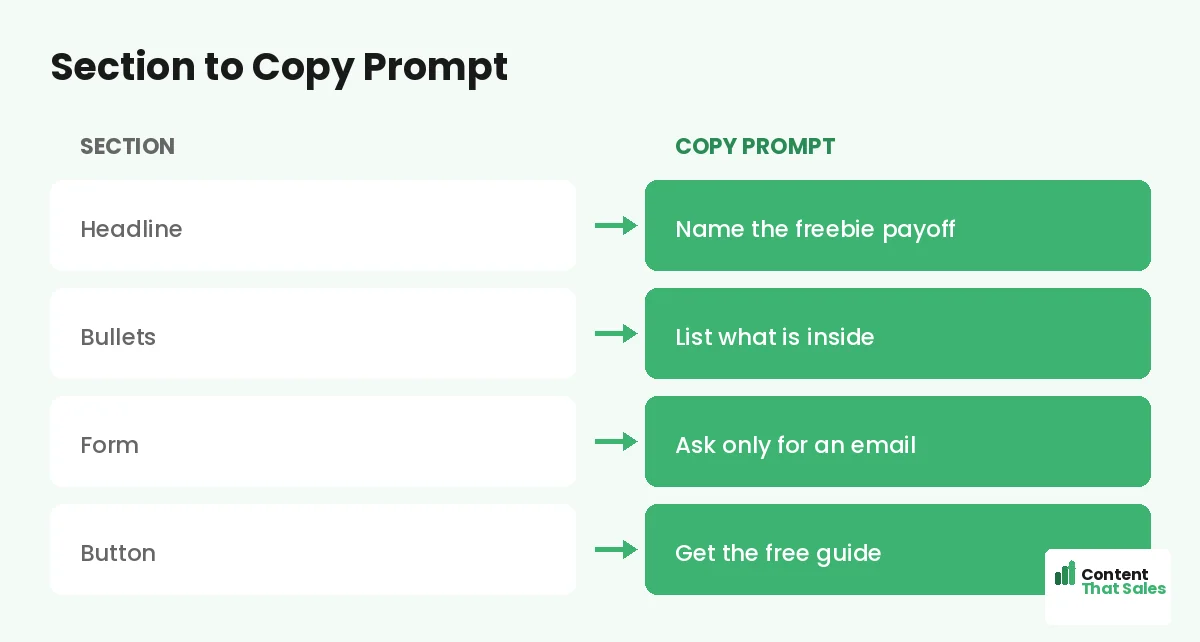
Copy prompt: “Get [result] with this free [type].” Example: “Get more replies with this free cold email template.” Name the payoff. A benefit-led headline pulls the right subscribers in.
Section 2: The Subheadline
Use the subhead to say what the freebie is and who it is for. This adds the clarity the headline promised and helps the right reader feel it was made for them. Keep it to one supportive line.
Copy prompt: “A free [type] for [audience] who want [outcome].” Example: “A free checklist for founders who want a page that converts.” The subhead qualifies the reader and sets up the bullets that follow.
Section 3: What Is Inside
List three to five things the reader gets, framed as benefits. Show the value packed into the freebie so the email feels like a fair trade. This section does the convincing, so make each point concrete.
Copy prompt: “[What is inside] so you [benefit].” Example bullets: “10 proven subject lines so you get opened,” “A fill-in script so you write in minutes.” People scan more than they read, so keep these short and skimmable.
Section 4: The Visual
Show a preview of the freebie. A cover image, a mockup, or a peek at a page makes the offer feel real and valuable. People trust what they can see, and a strong visual lifts opt-ins on its own.
Copy prompt: pair the image with a tiny caption-free label like “Your free [type].” Example: a clean mockup of the checklist beside the form. Make it look polished. A professional preview signals the content inside is worth the email.
Section 5: Proof and Trust
Add quick proof that the freebie delivers. A download count, a short testimonial, or a trust line like “no spam, unsubscribe anytime.” This lowers the small risk the reader feels before handing over an email.
Copy prompt: “[Number] downloads. ‘[Short quote].'” Example: “Downloaded 8,000 times. ‘This saved me hours.’ Jen.” Place the proof and the privacy note right by the form, where the last bit of hesitation lives, to nudge the opt-in.
Did you know?
Asking for only an email instead of an email plus a name can lift opt-in rates, because every extra field gives the reader a reason to pause.
Section 6: The Form and CTA
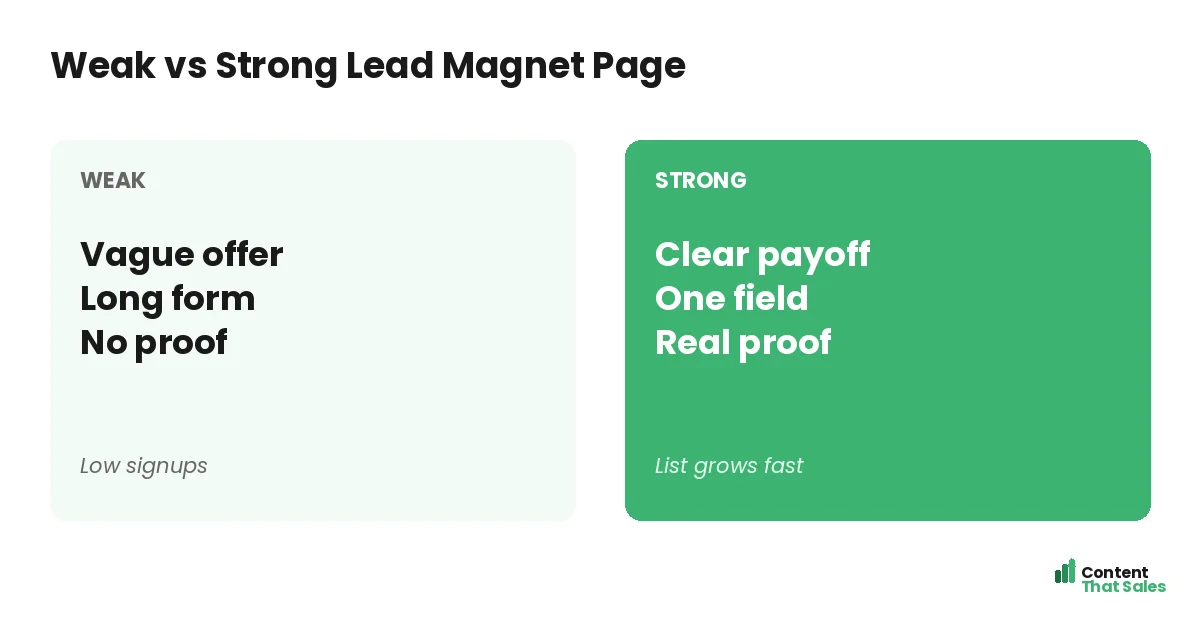
Keep the form to a single field, the email, whenever you can. The button should restate the value, not say submit. This is the moment of the trade, so make it feel effortless and clearly worth it.
Copy prompt: “[Action] for [value].” Example: “Send me the free checklist.” Follow solid landing page CTA best practices so the button stands out. One field and one clear ask turn a visitor into a subscriber.
How to Fill the Template
Work top to bottom, filling each prompt with your real freebie details. Get the benefit, the contents, and the proof down first, then polish. Read the page aloud to catch anything stiff before you publish.
Pair this with the broader landing page copy template for extra prompts on proof and benefits. The structure stays the same; your details make it convert. In under an hour, you have an opt-in page ready to grow your list.
Make the Freebie Genuinely Useful
The best opt-in copy cannot save a weak freebie. Make sure the lead magnet solves one real problem fast. A focused checklist or template that delivers a quick win builds trust and warms the subscriber for what comes next.
A great freebie also lifts your page, because honest, specific bullets are easy to write when the content is strong. Promise a clear result, then over-deliver. That first impression sets the tone for every email you send afterward.
Keep It a One-Field Form
The fewer fields, the more opt-ins. For most lead magnets, an email is all you need. You can ask for a name or company later, once the relationship has started. Resist the urge to gather data you will not use right away.
If you truly need a name for personalization, test whether the lift is worth the drop in signups. Often it is not. A simple, one-field form almost always grows your list faster than a detailed one. Easy, low-friction pages convert better, since simple copy lifts conversions.
The Full Template at a Glance
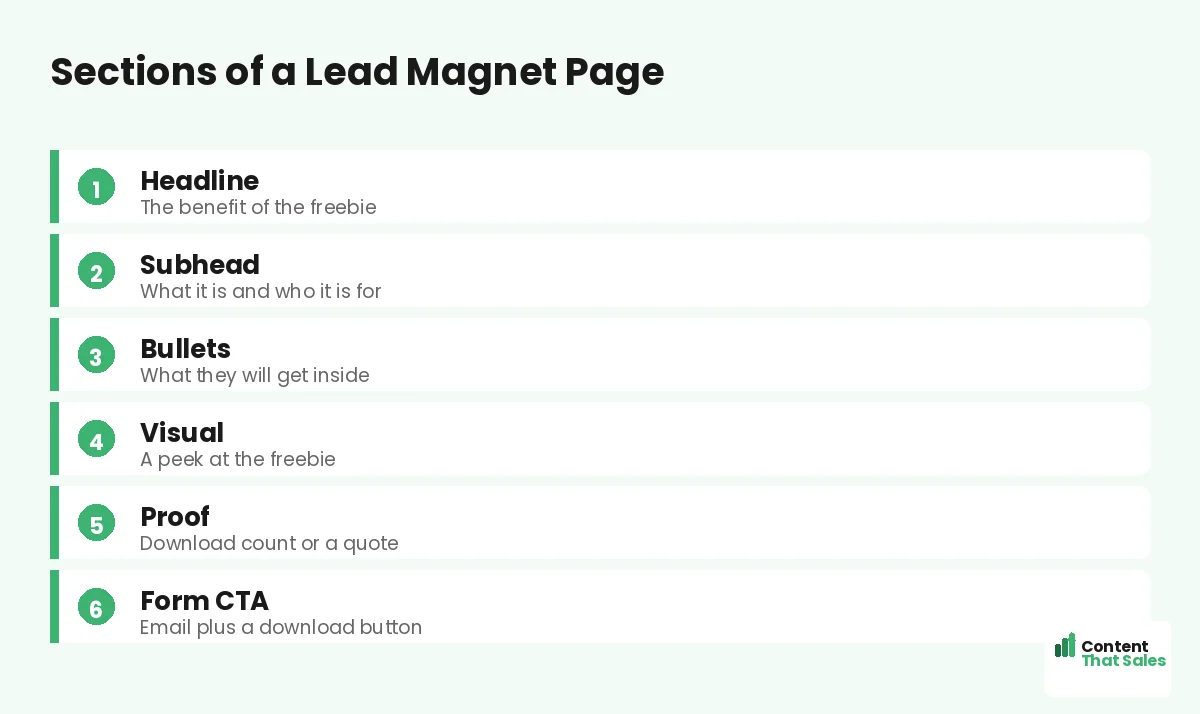
Here is the whole opt-in page in order: a benefit headline, a clarifying subhead, three to five inside-the-freebie bullets, a preview visual, proof near the form, and a one-field form with a clear CTA. Fill each blank and you have a page built to grow your list.
Keep this template for every lead magnet you create. One reusable structure means each new opt-in page is faster to build and more consistent. To sharpen the wording, see how to write landing page copy that converts.
How Content That Sales Helps
A template gets you started, but a pro makes every word pull its weight. That’s where we come in. At Content That Sales, we take this proven opt-in structure and fill it with copy tuned to your freebie and your audience.
You share the lead magnet and who it is for. We write the headline, the bullets, and the form copy that grow your list. The result is a page built on a proven template and sharpened to turn visitors into subscribers.
Ready to Grow Your Email List?
Now you have a lead magnet landing page template. A benefit headline, a clarifying subhead, inside-the-freebie bullets, a preview, proof, and a one-field form. Fill the blanks and you have a page built to grow your list. So why launch with a weak opt-in?
Let’s turn this template into a page that grows your list. Book your free consultation now. Call us at 8801631988589 or email service@contentthatsales.com. Let’s turn your next visitor into your next subscriber.
Frequently Asked Questions About the Lead Magnet Page Template
What sections does a lead magnet page need?
A benefit headline, a clarifying subhead, three to five inside-the-freebie bullets, a preview visual, proof near the form, and a one-field form with a clear CTA.
What should the headline say?
Lead with the benefit of the freebie, not its format. Promise the result the reader gets, since people want the outcome, not a PDF.
How many form fields should I use?
As few as possible, ideally just an email. Every extra field lowers opt-ins. Ask for a name or more later, once the relationship has begun.
Do I need a preview image?
Yes, it helps. A cover or mockup makes the freebie feel real and valuable, which lifts opt-ins. People trust what they can see.
How do I reduce opt-in anxiety?
Add proof like a download count or a short quote, plus a privacy note such as no spam, unsubscribe anytime. Place both right by the form.
Does the freebie quality matter?
A lot. Strong copy cannot save a weak freebie. Make the lead magnet solve one real problem fast to build trust for the emails that follow.
Should the page have a menu?
No. Keep one goal, the opt-in. Remove the menu and extra links so nothing leaks the visitors you worked to attract.
Can you write my opt-in page?
Yes. Content That Sales turns this proven template into copy tailored to your freebie. Reach out for a quick quote.