 Skip to content
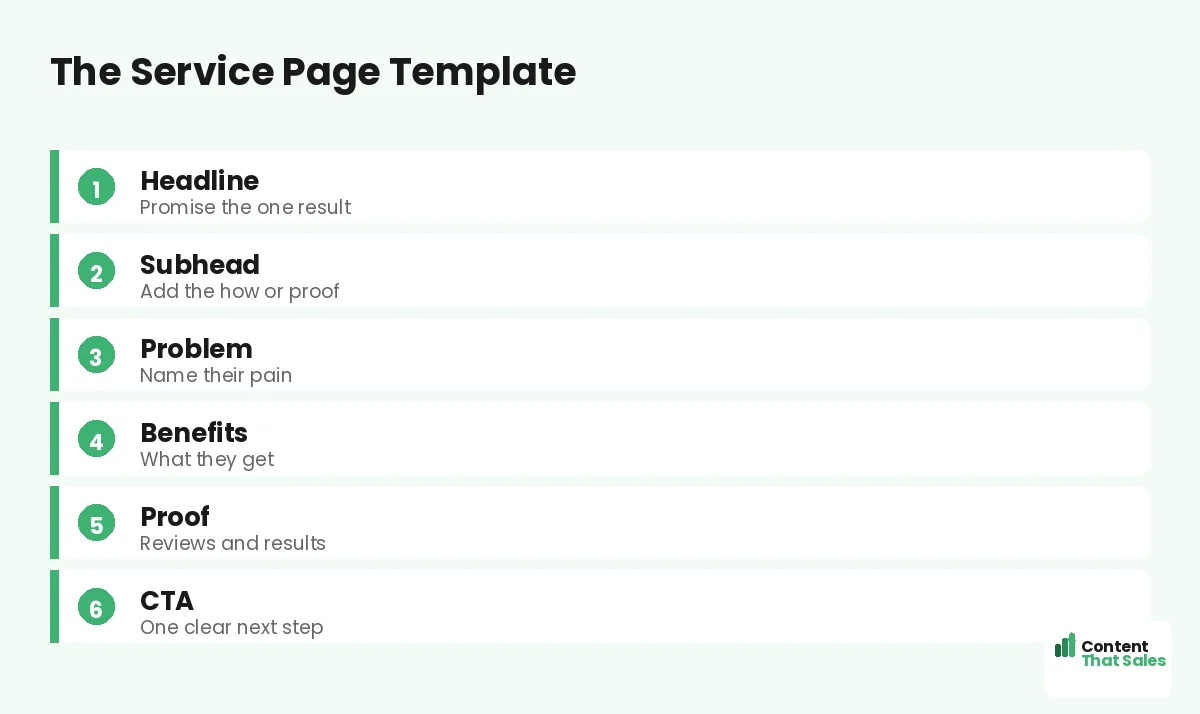
This free landing page copy template for service businesses gives you a section-by-section structure with fill-in-the-blank prompts, so you can write a converting page without staring at a blank screen. Service businesses do not need a fancy agency to write a strong page. They need a proven framework and the right prompts. Copy the template below, swap in your details, and you have a focused page built to turn clicks into calls. Let’s walk through it section by section.
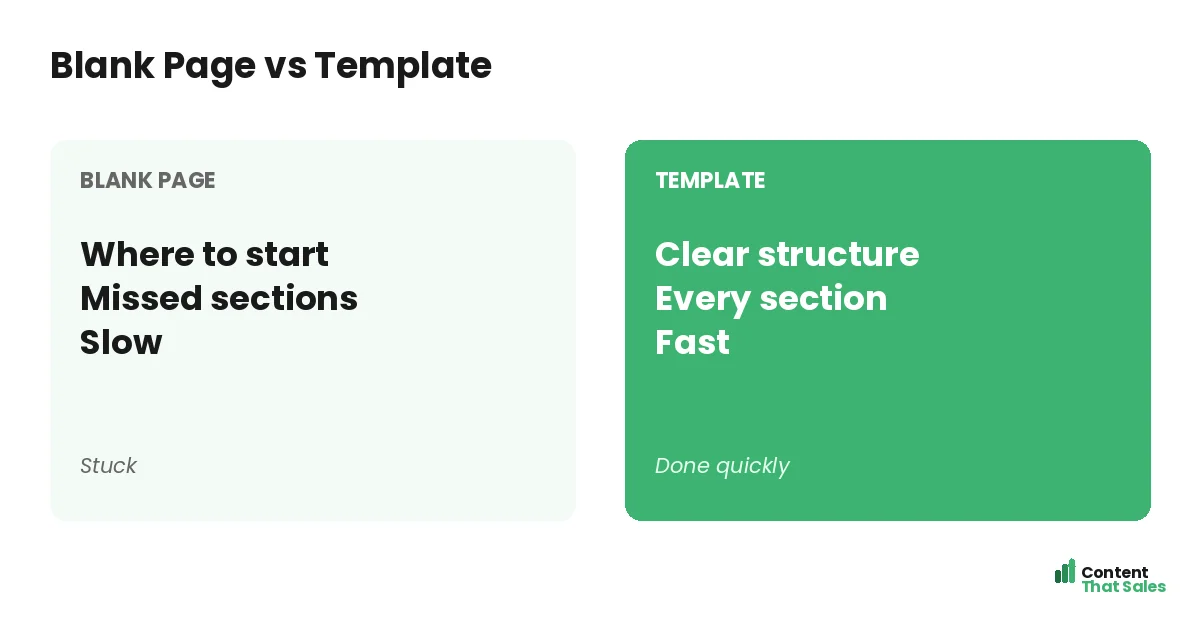
Why a template? Because a blank page is slow and intimidating, and it is easy to forget a key section like proof or a clear call to action. A template bakes in the structure that works, so you fill in the blanks instead of inventing the wheel. It saves hours and produces a better page. Here is the whole thing.
Below, we give you the template, the prompt for each section, and an example, plus tips to make it yours. Steal it and start writing.

How to Use This Template
Work through the sections in order. For each one, read the prompt, look at the example, then write your own version with your real service and result. Do not skip sections. Each one does a job, and together they guide the reader to act.
The template follows the same proven flow as the best landing page structure. Fill it in, then read the whole thing aloud to smooth the transitions. In an hour, you will have a focused page that most local competitors cannot match.
Section 1: The Headline
Prompt: promise the one result your service delivers, ideally with a number or a timeframe. Lead with the customer’s win, not your company name. This is the most important line, so spend the most time here.
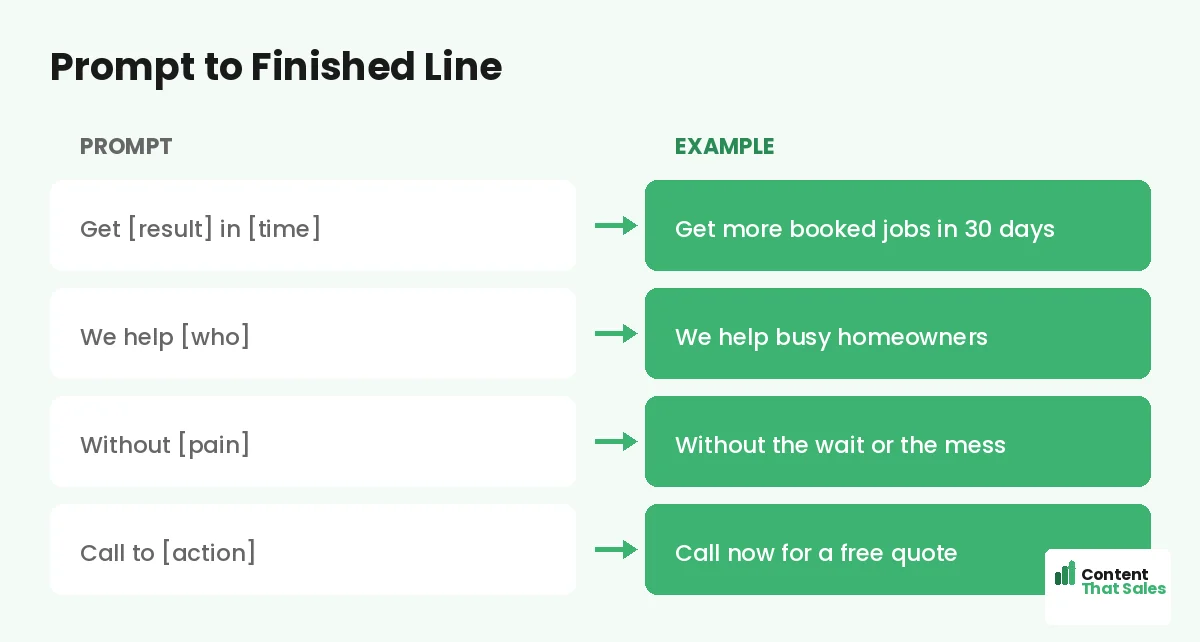
Template: “Get [result] in [timeframe] without [pain].” Example: “Get your home spotless in 2 hours, without lifting a finger.” Swap in your service and the outcome your customers most want. A specific headline stops the scroll.
Section 2: The Subheadline
Prompt: back up the headline with the how, a proof point, or a reassurance. One short line that adds something new, not a repeat of the headline. It earns the next few seconds of attention.
Template: “[How you deliver it] for [who], backed by [proof].” Example: “Trusted, fully insured cleaners, backed by 500 five-star reviews.” Keep it short and supportive. The headline and subhead together form your hook.
Section 3: The Problem
Prompt: name the customer’s problem in their own words. Show you understand the stress, the hassle, or the risk they face. This builds trust by proving you get their situation before you pitch anything.
Template: “Tired of [problem]? You are not alone. [Empathy about the pain].” Example: “Tired of spending your weekends cleaning? You deserve your time back.” Touch the nerve, then turn toward the relief your service offers.
Section 4: The Benefits
Prompt: list three to five benefits, framing each feature as a customer win. Lead with the result, not the spec. Walk each feature through the question “so what?” until you reach the feeling the customer wants.
Template bullets: “[Feature] so you [benefit].” Examples: “Same-day service so you never wait,” “Fully insured so your home is protected,” “Flat-rate pricing so there are no surprises.” People scan more than they read, so keep benefits short and scannable.
Section 5: The Proof
Prompt: show real proof that you deliver. Reviews, testimonials, a customer count, local results, and trust badges. Place your strongest proof near the call to action, where doubt peaks. Specific proof beats vague claims.
Template: “[Number] of [customers] trust us. [Short testimonial with a name].” Example: “Over 500 local homes cleaned. ‘Best decision we made.’ Sarah, downtown.” This is where you turn interest into belief. Use real, specific proof.
Did you know?
A template does not just save time. It stops you from forgetting key sections like proof and a clear CTA, which are the parts most pages miss.
Section 6: The Call to Action
Prompt: ask for one clear, low-risk action. Name the value and remove the fear. Repeat this same call to action a few times down the page, especially after the benefits and proof.
Template: “[Action] for [value]. [Reassurance].” Example: “Call now for a free quote. No obligation, no pressure.” Make the button specific, following solid landing page CTA best practices. One clear ask turns a reader into a lead.
Bonus Section: Trust and FAQ
Prompt: near the bottom, add a short FAQ and any extra trust signals. Answer the top two or three questions customers always ask, like pricing, availability, and guarantees. This clears the last doubts before they act.
Template: “[Common question]? [Clear, reassuring answer].” Example: “How much does it cost? Most homes are a flat $120, quoted upfront.” A short FAQ catches the readers who need one more answer before they say yes.
Make the Template Yours
The template is a starting point, not a straitjacket. Swap in your real service, your real results, and your own voice. The structure stays the same, but the details make it unmistakably yours. A borrowed frame with your facts beats a blank page every time.
Add your local details too, like your service area and nearby reviews, drawing on our guide to a landing page for a local service business. The more specific and local, the better it converts.
Polish the Draft
Once the blanks are filled, polish the page. Cut filler, shorten long lines, and make sure each section flows into the next. Read it aloud to catch anything stiff or unclear. A tight, smooth page respects the reader’s time.
Keep the language simple and human. To level up the wording, see how to write landing page copy that converts. The template gives you the bones, and a quick polish gives it the shine that turns readers into customers.
Test and Improve
Your first version is a strong start, not the finish. Ship it, then improve with real data. Test a sharper headline or a shorter form and watch your results. Small, steady tweaks lift conversions over time.
Simple, clear copy keeps winning, since easy reading lifts conversions. The template gets you a converting page fast, and testing makes it better month after month. That combination is how service businesses win online.
The Full Template at a Glance
Here is the whole template in order: a result-driven headline, a supporting subhead, the customer’s problem, three to five benefits, strong proof, one clear call to action, and a short trust-and-FAQ close. Fill each blank with your details and you have a converting page.
Keep this structure handy for every service page you build. One template, used again and again, means you never start from scratch. Each page gets faster to write and more consistent in quality.
How Content That Sales Helps
A template gets you far, but a pro makes every word count. That’s where we come in. At Content That Sales, we take this proven structure and fill it with copy tailored to your service, your customers, and your area.
You share your service and your results. We write the headline, the proof, and the call to action that convert. The result is a page built on a proven template and sharpened by experience, ready to book more work.
Ready to Turn Visitors Into Customers?
Now you have a free landing page copy template for service businesses. A result headline, a subhead, the problem, benefits, proof, a clear CTA, and a trust close. Fill the blanks and you have a converting page. So why start from scratch?
Let’s turn this template into a page that books work. Book your free consultation now. Call us at 8801631988589 or email service@contentthatsales.com. Let’s turn your next visitor into your next customer.
Frequently Asked Questions About the Service Page Template
What sections does the template include?
A result-driven headline, a supporting subhead, the customer’s problem, three to five benefits, strong proof, one clear call to action, and a short trust-and-FAQ close.
How do I use the template?
Work through the sections in order. Read each prompt, look at the example, and write your own version with your real service and result. Do not skip sections.
Can I really write a page in an hour?
Yes. The template removes the blank-page problem, so you fill in the blanks instead of inventing structure. A quick polish afterward makes it shine.
Will a template make my page generic?
Only if you leave the blanks vague. Fill them with your real service, results, and voice, and the page becomes unmistakably yours.
Where should proof go?
Near the call to action, where doubt peaks. A strong testimonial or a customer count beside the button turns hesitation into action.
How many benefits should I list?
Three to five, each framed as a customer win. Lead with the result, not the spec, and keep them short and scannable.
Should I test the page after using the template?
Yes. Ship it, then improve with data. Test a sharper headline or shorter form and keep what lifts your results over time.
Can you write my service landing page?
Yes. Content That Sales turns this proven template into copy tailored to your business. Reach out for a quick quote.