 Skip to content
This topical map example for an ecommerce niche site shows a complete, real-world structure, the category cores, the buying guides, the comparison pages, and the linking, so you can see exactly how a niche store builds a map that captures shoppers and drives sales. Niche ecommerce lives or dies on capturing research traffic, and this blueprint does exactly that, end to end. Use it to model your own store’s map.
A niche ecommerce site competes by being the expert in its category. A topical map surrounds its products with the guides, comparisons, and answers shoppers search before buying, turning research traffic into sales. This example lays out exactly how, category by category, so you can copy the structure for your own niche store.
Below, we walk through the niche store’s category cores, its content pillars, the clusters beneath them, and how it all links to products.

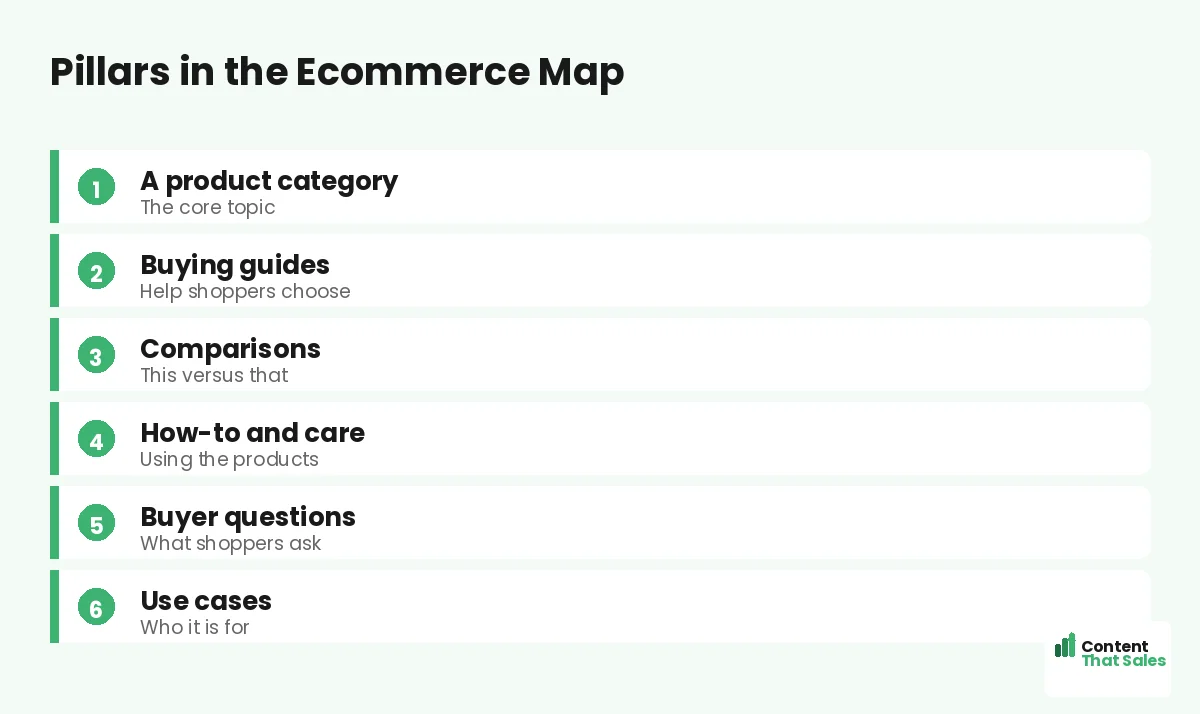
The Category Cores
For a niche store, the core topics are the product categories. Imagine a store selling coffee gear: categories like espresso machines, grinders, and brewing accessories each become a core pillar. Everything branches from these category cores.
Choosing categories as cores follows the logic of any core topic, aligned with the store. Each category anchors a cluster of content and products, and together they cover the whole niche the store serves.
Pillar: The Category Page
Each category page is a pillar, a broad overview of that category that links to the products and supporting content within it. For espresso machines, the pillar overviews the category and links to specific machines, guides, and comparisons.
The category pillar captures broad category searches and routes shoppers to products and guides. It is the hub of each category cluster, the same role a pillar plays in any pillar-and-cluster framework, applied to ecommerce.
Pillar Content: Buying Guides
Each category has a buying guide cluster: how to choose an espresso machine, what to look for in a grinder, beginner guides. These capture shoppers researching before they buy and position the store as the niche expert.
Buying guides are the workhorses of niche ecommerce content. They bring top-funnel traffic and link to the products they recommend. Each guide is a focused page that helps the shopper decide and points them toward a purchase.
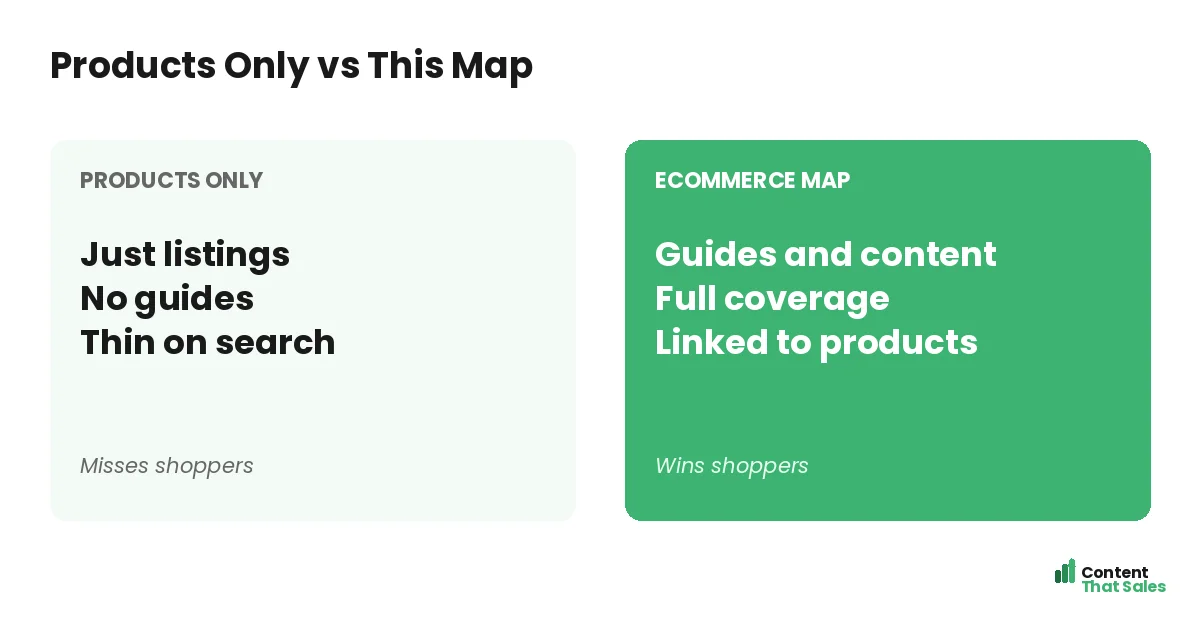
Pillar Content: Comparisons
Each category also has comparison content: machine versus machine, type versus type, brand versus brand. These catch shoppers close to a decision and steer them to the right product. Comparison pages are high-intent and high-converting.
For a niche store, comparison content is gold, the searcher is choosing between specific options. Honest, helpful comparisons that link to the products build trust and capture buyers exactly when they are ready to commit.
Pillar Content: How-To and Care
Niche shoppers want to use and maintain their purchases well. Map how-to and care content: how to use a machine, how to clean a grinder, troubleshooting. This serves customers, captures support searches, and reinforces niche authority.
Since readers scan more than they read, keep how-to content clear and practical. It brings in searchers who then discover the store’s products and keeps existing customers engaged, supporting both acquisition and retention.
Buyer Questions and Use Cases
The map also covers buyer questions and use cases: which product for beginners, best for small spaces, common questions about the category. These capture specific searches and connect shoppers to the products that fit their situation.
Question and use case content speaks directly to a shopper’s need or identity. It captures searches broad pages miss and links to the right products. These pages round out the niche store’s coverage and connect more shoppers to purchases.
Did you know?
For niche stores, buying guides and comparisons often drive more traffic than product pages, because most shoppers research the category before they buy.
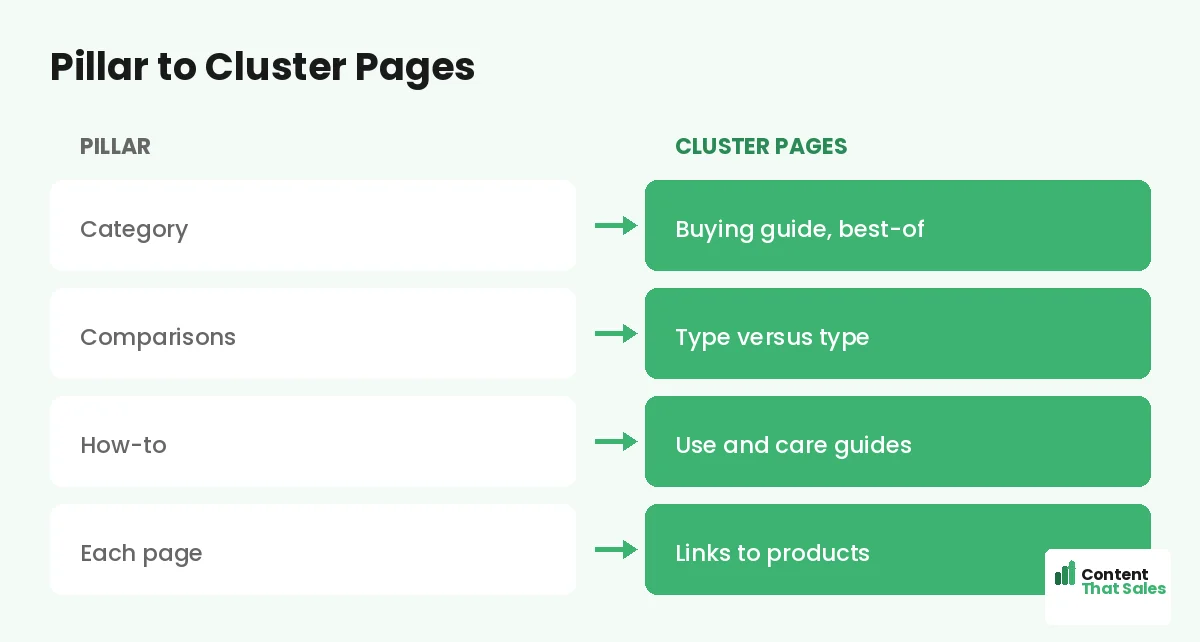
The Cluster Pages
Under each category pillar sit the cluster pages, the guides, comparisons, how-tos, and question pages that capture detailed searches. Each is one focused page targeting a specific shopper search around that category.
These clusters come from real research into what shoppers search, the way you find cluster topics that support pillars. The cluster pages capture the research traffic that products alone miss, then funnel it to purchase.
How It All Links to Products
The map links together and to products: category pillars link to products and guides, guides and comparisons link to the products they recommend, and clusters link back to their category. Everything funnels shoppers toward buying.
This linking, following how you connect pillar and cluster pages with product links added, spreads authority and guides shoppers from research to purchase. Tight content-to-product linking turns informational traffic into sales.
Why This Structure Works
This niche ecommerce map works because it captures research traffic, positions the store as the category expert, and funnels shoppers to products. It builds niche authority while turning informational searches into sales the store would otherwise miss.
It blends category pillars with guides, comparisons, how-tos, and questions, covering the full shopping journey. That balance makes the map both authoritative and conversion-focused, exactly what a niche store needs to grow. As each category cluster is completed, the store ranks for the full range of research and buying searches in its niche, building a moat of content that bigger, generalist competitors with thin category pages cannot easily cross.
How to Adapt It to Your Store
To adapt this, use your product categories as cores, add buying guides and comparisons for each, and cover the how-tos and questions your shoppers have. Then link everything to your products. The structure stays the same.
The pattern, category cores plus guides, comparisons, how-tos, and questions, works for any niche store, from coffee gear to pet supplies to home fitness. Simple, clear content keeps winning, since easy reading lifts engagement. Use this example as a template for your own store’s map.
Put It All Together
This topical map example for an ecommerce niche site shows a complete structure: product categories as cores, with buying guides, comparisons, how-to content, and buyer questions surrounding each, all linked to products.
It captures research traffic and funnels it to sales. Adapt the structure to your store, fill it with your real searches, and link it to products. This blueprint shows exactly how a niche ecommerce map captures shoppers and drives sales, turning your store into the recognized authority in its category.
How Content That Sales Helps
We build niche ecommerce maps like this example. That’s where we come in. At Content That Sales, we design your category map, write buying guides and comparisons, and link them to products so you rank and sell.
You share your categories and products. We plan the pillars, write the guides and comparisons, and link them to your store. The result is a niche map modeled on this proven structure, built to capture shoppers and drive sales.
Ready to Build Your Store’s Map?
Now you have seen a complete topical map example for an ecommerce niche site: category cores, guides, comparisons, and links to products. Adapt it to your store and fill it with your searches. So why not build on this proven blueprint?
Let’s build your store’s map and drive sales. Book your free consultation now. Call us at 8801631988589 or email service@contentthatsales.com. Let’s turn shopper research into sales.
Frequently Asked Questions About This Ecommerce Map
What are the core topics of this map?
The product categories. Each category, like espresso machines or grinders, becomes a core pillar that anchors a cluster of content and products.
What content surrounds each category?
Buying guides, comparisons, how-to and care content, and buyer questions, all capturing research searches and linking to the relevant products.
Why do buying guides matter for niche stores?
Most shoppers research the category before buying. Buying guides capture that top-funnel traffic, position the store as the expert, and link to products.
Why include comparisons?
Comparisons catch shoppers close to a decision, choosing between options. They are high-intent and high-converting, steering buyers to the right product.
Where do the cluster pages come from?
From real research into what shoppers search around each category. They capture the research traffic that product pages alone miss, then funnel it to purchase.
How does the map drive sales?
Every guide, comparison, and question page links to the relevant products, funneling research traffic to purchase. Content-to-product linking turns traffic into sales.
How do I adapt it to my store?
Use your categories as cores, add guides and comparisons for each, cover how-tos and questions, and link everything to products. The structure stays the same.
Can Content That Sales help?
Yes. We build niche ecommerce maps like this example, tailored to your store and built to capture shoppers and drive sales. Reach out for a quick quote.