 Skip to content
This topical map example for a SaaS startup shows a complete, real-world structure, the category core, the use case pillars, the comparison pages, and the linking, so you can see exactly how a SaaS company builds a map that captures buyers and drives signups. SaaS buyers research deeply, and this blueprint covers their whole journey. Use it to model your own SaaS map.
A SaaS startup competes for category authority and qualified signups. A topical map covers the problems it solves, how teams use it, and the comparisons buyers make, meeting prospects at every stage. This example lays out exactly how, pillar by pillar, so you can copy the structure for your own product.
Below, we walk through the SaaS map’s category core, its pillars, the clusters beneath them, and how it all links toward conversion.

The Category Core
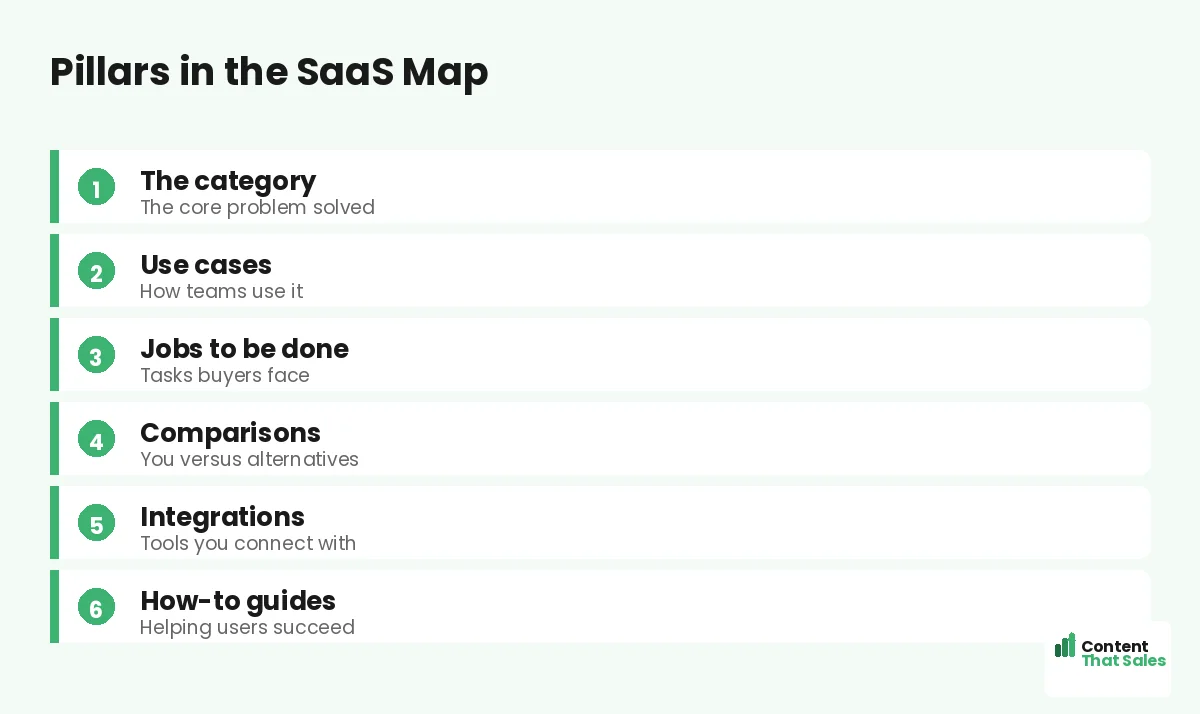
The core topic is the product category, the problem the SaaS startup solves. If the startup makes project management software, the core is project management. Every pillar, use cases, comparisons, guides, branches from this category.
Choosing this core follows the same logic as any core topic: the category you want to own. Owning a category by covering it completely is the foundation of the whole SaaS example map.
Pillar 1: Use Cases
The first pillar is use cases, how different teams and roles use the product. Its pillar overviews the use cases, with clusters for each: by team, by industry, by job to be done. Each cluster shows a specific buyer the product fits them.
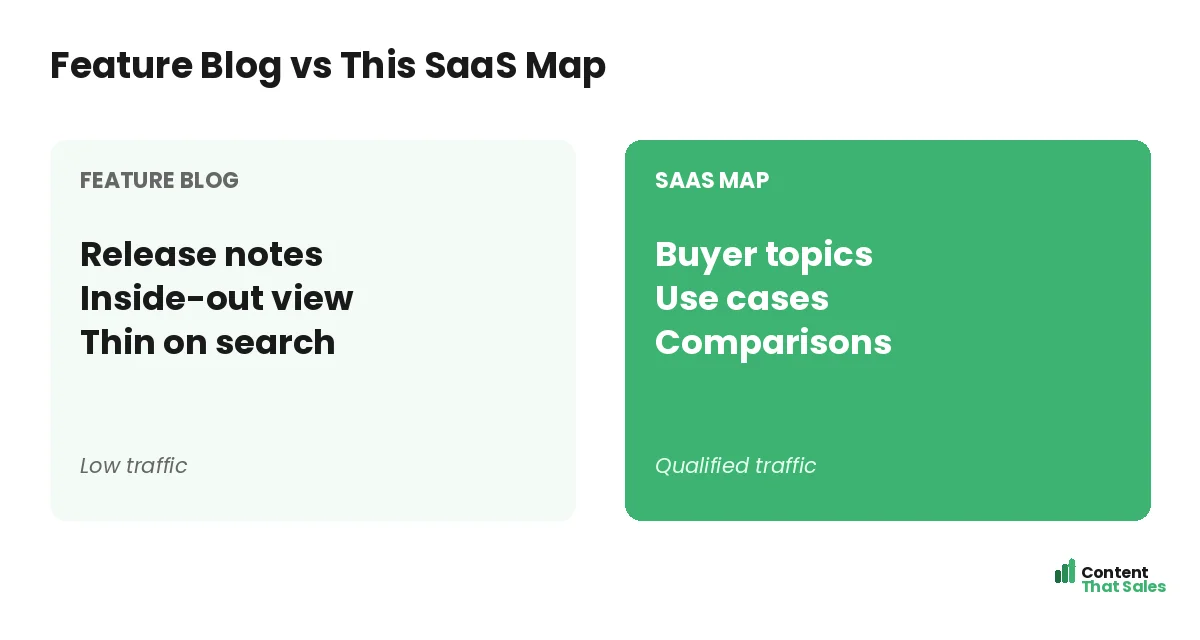
Use case content converts well because buyers searching for their exact need find a page about it. This pillar captures qualified, specific traffic and is central to the SaaS map, showing the product in the buyer’s own context.
Pillar 2: Comparisons
The second pillar is comparisons, capturing buyers near the decision. Its pillar overviews the alternatives, with clusters comparing the startup to each competitor and to other approaches. These bottom-funnel pages catch buyers ready to choose.
Comparison content is among the highest-converting SaaS content, because the searcher is choosing a tool. This pillar ensures the startup appears exactly when buyers compare options, with honest, helpful pages that earn the click to signup.
Pillar 3: Jobs to Be Done
The third pillar is jobs to be done, the tasks buyers hire the software to accomplish. Its clusters cover each job: how to do a specific task, often with and without the product. These match how buyers actually think and search.
Jobs-to-be-done content meets buyers focused on their goal, not your features. It attracts people trying to accomplish exactly what your product helps with. This pillar deepens the map’s coverage of real buyer intent.
Pillar 4: Integrations
The fourth pillar is integrations, the tools the product connects with. Its clusters cover each integration, reassuring buyers the product fits their existing stack. These capture searches from buyers checking compatibility before they commit.
Integration pages target precise, high-intent searches and remove a common objection. Since readers scan more than they read, each integration page quickly confirms the connection works, moving the buyer closer to signup.
Pillar 5: How-To Guides
The fifth pillar is how-to guides, helping users succeed with the product. Its clusters cover specific features and tasks. This content captures support searches, lowers churn, and reinforces the startup’s authority in its category.
How-to content serves both prospects and customers, covering the full lifecycle from discovery to mastery. It brings in users who then discover the product and helps existing users get value, strengthening both growth and retention.
Did you know?
Comparison and use case pages often drive the most signups for SaaS, because they catch buyers at the exact moment they are evaluating and deciding.
The Cluster Pages
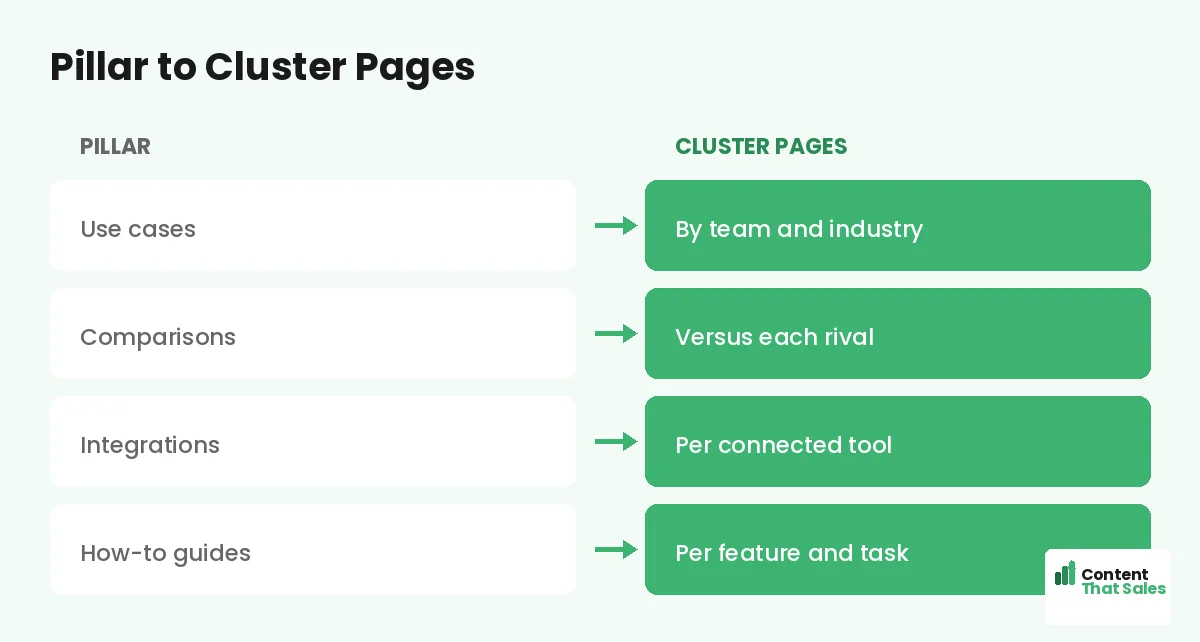
Under each pillar sit the cluster pages, the deep, specific pages that capture detailed searches. For use cases, that is each team and industry; for comparisons, each competitor. Each is one focused page targeting a specific buyer search.
These clusters come from real research into what buyers search, the way you find cluster topics that support pillars. The cluster pages are where most of the qualified traffic lives, fully covering each pillar.
How It All Links
The map links together: each pillar links to its clusters, clusters link back, and related clusters link across. Use case and comparison pages link to signup or trial pages, turning content into conversions.
This linking follows how you connect pillar and cluster pages, with conversion paths added. The links spread authority and guide buyers from a use case to a comparison to a trial. Linking makes the map rank and convert.
Why This Structure Works
This SaaS map works because it covers the category completely, meets buyers at every funnel stage, and links content to signup. It builds the category authority that ranks while capturing and converting qualified buyers across their research journey. Each finished pillar adds another layer of coverage, so over time the startup ranks not just for the terms it targeted but for the wide range of related searches its category generates, compounding traffic and signups month after month.
It blends use case, comparison, jobs, integration, and how-to pillars to cover the full journey from problem to purchase to mastery. That balance makes the map both authoritative and conversion-focused, exactly what a SaaS startup needs to grow.
How to Adapt It to Your SaaS
To adapt this, swap in your category as the core, your use cases and competitors as pillars, and the jobs and integrations specific to your product. Then fill each with the real searches your buyers make. The structure stays the same.
The pattern, category core plus use cases, comparisons, jobs, integrations, and guides, works for most SaaS products. Simple, clear content keeps winning, since easy reading lifts engagement. Use this example as a template for your own map.
Put It All Together
This topical map example for a SaaS startup shows a complete structure: the category as the core, pillars for use cases, comparisons, jobs to be done, integrations, and how-to guides, each with deep clusters, all linked toward signup.
It covers the full buyer journey and converts. Adapt the structure to your SaaS, fill it with your real searches, and link it to trials. This blueprint shows exactly how a SaaS map captures buyers and drives qualified signups.
How Content That Sales Helps
We build SaaS maps like this example. That’s where we come in. At Content That Sales, we design your category map, cover use cases and comparisons, and write the connected pages that rank and drive signups.
You share your product and buyers. We plan the pillars, write the use case, comparison, and guide pages, and link them to trials. The result is category authority modeled on this proven structure, tailored to your SaaS.
Ready to Build Your SaaS Map?
Now you have seen a complete topical map example for a SaaS startup: category core, use case and comparison pillars, and links to signup. Adapt it to your product and fill it with your searches. So why not build on this proven blueprint?
Let’s build your SaaS map and drive signups. Book your free consultation now. Call us at 8801631988589 or email service@contentthatsales.com. Let’s turn this blueprint into qualified trials.
Frequently Asked Questions About This SaaS Map
What is the core topic of this SaaS map?
The product category, the problem the startup solves. Every pillar, use cases, comparisons, jobs, branches from this central category the startup wants to own.
What are the pillars?
Use cases, comparisons, jobs to be done, integrations, and how-to guides, covering the full buyer journey from problem awareness to purchase and mastery.
Why are comparison pages included?
They catch buyers near the decision, comparing tools. Comparison content is among the highest-converting SaaS content, so it is a key bottom-funnel pillar.
What are use case pages?
Pages showing how different teams, industries, or roles use the product. They convert well because buyers find a page about their exact need.
Why include integrations?
Buyers check compatibility before committing. Integration pages capture those searches and remove a common objection by confirming the product fits their stack.
How does the map drive signups?
Use case and comparison pages link to trial or signup pages, turning content into conversions. Coverage builds authority; conversion links capture buyers.
How do I adapt it to my SaaS?
Swap in your category, use cases, and competitors, and fill each with the real searches your buyers make. The pillar structure stays the same.
Can Content That Sales help?
Yes. We build SaaS maps like this example, tailored to your product and built to rank and drive signups. Reach out for a quick quote.