 Skip to content
Landing pages for ebooks and lead magnets have one mission: trade a useful freebie for a contact with as little friction as possible. The pages that fill email lists make the freebie feel real with a cover or visual, sell the outcome of using it, prove it is worth the email, and ask for almost nothing. This practical guide walks you through building an ebook or lead magnet page that turns visitors into subscribers you can nurture into customers.
A lead magnet page is the start of a relationship. Done well, it grows your list day after day with people who actually want what you offer. Done poorly, it leaks the traffic you worked to earn. The difference is a generous offer, clear value, and a frictionless opt-in. Let’s build one that works.
Below, we cover the asset visual, the headline, the proof, the form, and the delivery that make ebook and lead magnet pages convert. Each comes with the lesson to apply to your offer.

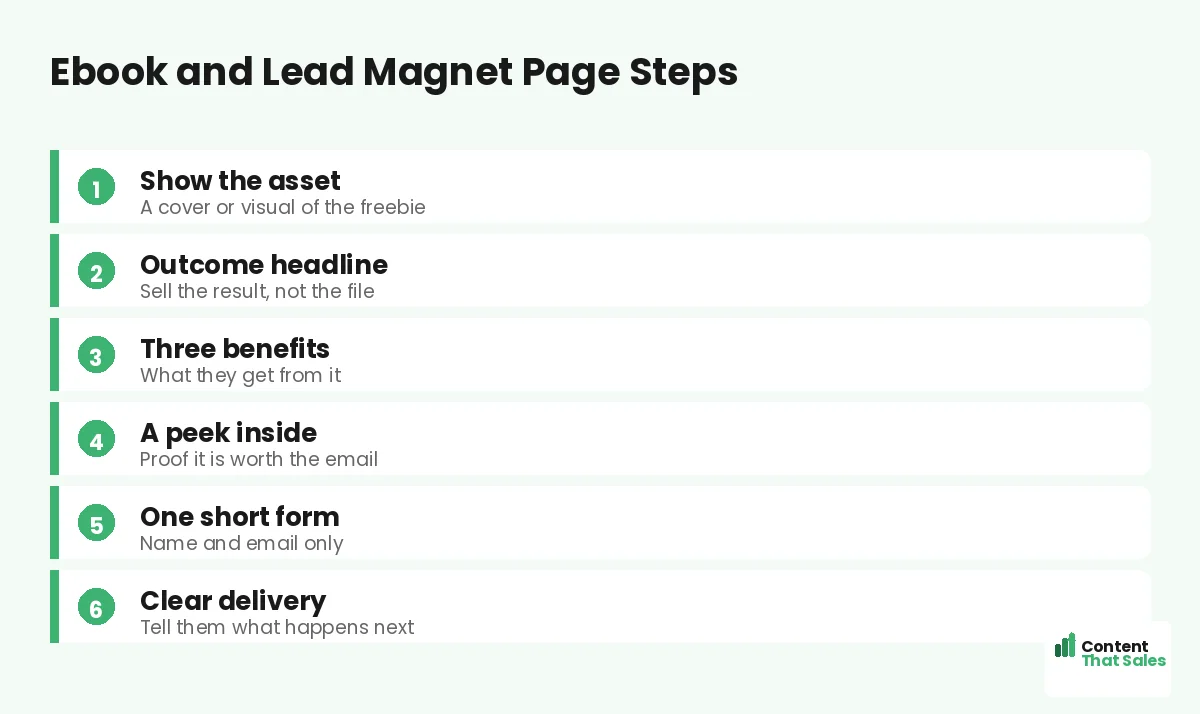
Make the Freebie Feel Real
An ebook or lead magnet is invisible until you show it. Display a clean cover mockup or a visual of the asset, whether it is a checklist, template, or guide. A tangible image makes the freebie feel like a real, valuable thing worth trading an email for.
Even a simple mockup beats a wall of text describing the file. People scan more than they read, so a clear visual does instant, silent selling. Seeing the freebie raises its perceived worth and the willingness to opt in.
Sell the Outcome, Not the File
Lead with the result the freebie delivers, not its format. “Get the playbook that books more jobs” beats “download our 20-page ebook.” The reader cares about what the magnet will do for them, so the headline should promise that outcome up front.
Page count, format, and file size are not selling points. The transformation is. Title your lead magnet around the reader’s win, and the opt-in feels worth the email every time. Sell the destination, and the download follows.
List Three Clear Benefits
Spell out what the reader will learn or gain, usually as three crisp bullets. “You’ll learn how to hook readers, structure a page, and test for wins.” This makes the value tangible and easy to scan, which is how most visitors read a page.
Concrete benefits beat a vague description. Three sharp bullets let the reader picture the payoff before they opt in. This benefit-led approach runs through our lead generation landing page examples, where clear value drives every opt-in.
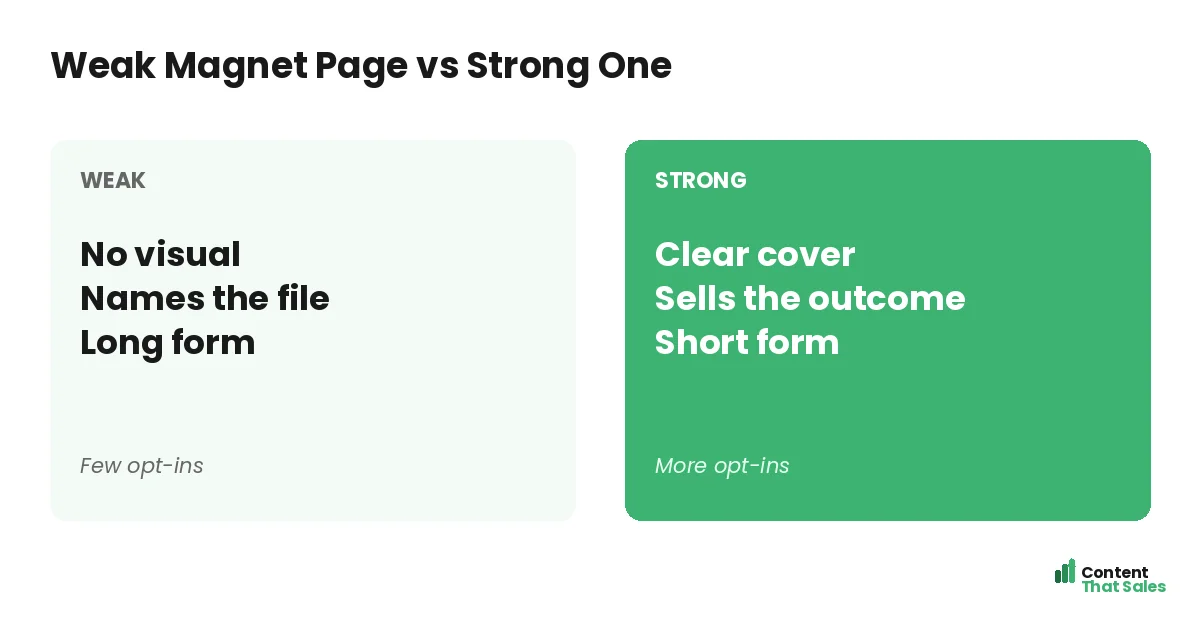
Give a Peek Inside
A glimpse of the contents builds trust and desire. Show the chapter list, a sample page, or a quick contents summary. It proves the freebie is substantial and relevant, not a thin pamphlet padded to look impressive. Transparency lifts opt-ins.
This reduces the fear of a worthless download. A table of contents or a sample reassures the reader that the magnet delivers real value. When people can see what they are getting, they opt in with confidence.
Keep the Form Short
Ask for as little as possible, often just an email. Every extra field, like company or phone number, drops opt-ins. The form should feel like a two-second step, not a registration. Match a tiny ask to a generous offer.
Follow solid landing page CTA best practices so the opt-in button is specific and clear. “Send me the guide” beats “Submit.” You can learn more about the lead later through nurturing. First, get the freebie into their hands.
Did you know?
Cutting a lead magnet form down to a single email field can lift opt-ins sharply. Every field you remove is one less reason to leave.
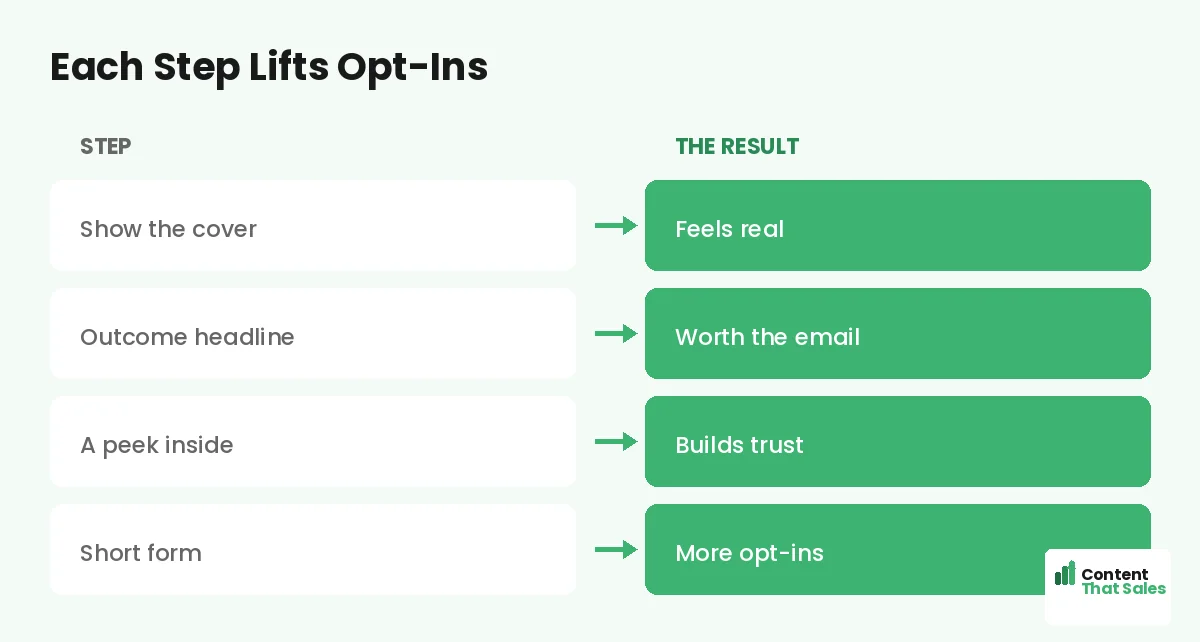
Add a Touch of Proof
A little social proof boosts opt-ins. A download count like “downloaded 5,000 times,” a short testimonial, or a credible author line reassures the reader that the freebie is worth their time. Proof lowers the small risk of opting in.
Place it near the form, where any hesitation lives. Even a simple count or a single quote can tip a maybe into a download. Keep it honest and relevant. Proof turns a curious visitor into a confident subscriber.
Make Delivery Clear
Tell the reader exactly what happens after they opt in. “Check your inbox for the guide” sets the right expectation and reduces confusion. A clear confirmation, plus an instant email with the freebie, makes the experience smooth and trustworthy.
A good thank-you step can also point to the next move, like a related offer or a quick win. The opt-in is the start of the relationship, not the end. Clear delivery keeps the new lead happy and engaged from the first moment.
Match the Magnet to Your Audience
The best lead magnet sits close to the sale and solves a real problem your buyer has now. A checklist, template, or short guide that delivers a quick win works better than a giant ebook nobody finishes. Match the magnet to what your audience actually wants.
The closer the freebie is to your paid offer, the better the leads convert later. A roofing company should offer a roof-care checklist, not a generic marketing ebook. Relevant magnets attract relevant leads, and relevant leads become customers.
Remove Distractions and Go Mobile-First
A lead magnet page should have one goal and nothing competing with it. Remove the menu, extra links, and side offers. Keep one clear opt-in. Then design for mobile, since many people grab freebies on a phone.
Keep the page fast and the form thumb-friendly. A slow or cluttered page loses opt-ins before they happen. A clean, focused, mobile-first page captures the lead that a busy one would lose. Focus and speed win subscribers.
A Simple Lead Magnet Page Recipe
Put it together. Show the asset with a cover or visual. Lead with the outcome. List three benefits. Give a peek inside. Add light proof. Keep the form to an email. Confirm delivery clearly and remove every distraction.
This recipe works for ebooks, checklists, templates, and any lead magnet. Adjust the asset and the benefits, but keep the tangible visual and the easy opt-in. Clear, simple wording wins too, since easy reading lifts conversions. For more layouts, see our ebook landing page examples.
How Content That Sales Builds Lead Magnet Pages
A lead magnet page is part offer and part wording, and the wording is our craft. That’s where we come in. At Content That Sales, we shape the magnet, write the outcome-led headline, and place the proof so opt-ins climb.
You share the freebie and the audience. We build the page on a proven lead magnet structure with copy tailored to your offer. If you want done-for-you landing page copy, we handle the whole thing. The result is a focused page that grows your list with the right subscribers, ready to nurture into customers.
Ready to Turn Visitors Into Customers?
Now you know how to build landing pages for ebooks and lead magnets. Make the freebie real. Sell the outcome. List the benefits. Give a peek and keep the form short. So why describe a file when this structure turns it into a list-building machine?
Let’s build a lead magnet page that grows your list. Book your free consultation now. Call us at 8801631988589 or email service@contentthatsales.com. Let’s turn your next visitor into your next lead.
Frequently Asked Questions About Ebook and Lead Magnet Pages
What makes a great lead magnet landing page?
A clear visual of the freebie, an outcome-led headline, three benefits, a peek inside, light proof, and one short form. Make the freebie feel real and the opt-in effortless.
Do I need to show the ebook cover?
Yes. The freebie is invisible until you show it. A clean cover or asset visual makes it feel real and raises its perceived value, lifting opt-ins.
What should the headline say?
Promise the outcome of using the freebie, not its format. “Get the checklist that books more jobs” beats “download our ebook.”
How short should the form be?
Usually just an email. Every extra field lowers opt-ins, so ask for the minimum and nurture the lead later.
What is the best lead magnet?
One that sits close to the sale and gives a quick win, like a checklist or template. Match the magnet to what your audience wants now.
Should I show a peek inside?
Yes. A chapter list or sample proves the freebie is substantial and relevant, which reduces the fear of a worthless download.
How do I reduce opt-in friction?
Keep one goal, remove the menu and extra links, ask for just an email, and design mobile-first. Focus and speed win more subscribers.
Can you build my lead magnet page?
Yes. Content That Sales builds ebook and lead magnet pages on proven patterns. Reach out for a quick quote.